What Is a Unit Test
A unit test is a small program that checks one piece of your code — usually one function. You run the tests after every change; if a change breaks something, a test tells you right away, before your users do.
The standard tool in the Python world is pytest. It is installed once with pip install pytest, and it needs no boilerplate: a test is a plain function, and a check is the plain assert statement.
Tests also make change safe: with good tests you can rewrite a function and know in seconds whether it still behaves the same.
Test Files and Test Functions
Two naming rules make a test a test:
1. The file name starts with test_ — for calc.py you write test_calc.py. pytest scans the folder for files named like that (names ending in _test.py work too) and runs only those.
2. The function name starts with test_ and takes no arguments — def test_add():. Functions without the prefix are not collected, so helpers can live in the same file.
Inside the test you call the function, compare what you got with what you want, and let assert report the difference. A failing assert raises an error that marks the test as failed; no error raised means the test passes.
A first passing test
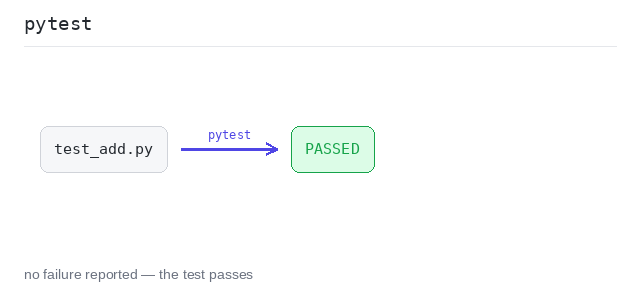
test_add calls add(2, 3) and compares the result with 5 in one assert. They match, so nothing is raised and the test passes: the line says PASSED and the run ends with 1 passed.
Output: complete Python program
def add(a, b):
  return a + b

def test_add():
  assert add(2, 3) == 5
A failing test
This add has a bug — it multiplies. The test catches it: pytest reprints the failing assert line, shows the values on both sides — assert 6 == 5 — and the run ends with 1 failed.
Output: complete Python program
# add has a bug: it multiplies instead of adding.
def add(a, b):
  return a * b

def test_add():
  got = add(2, 3)
  assert got == 5
Running Tests
python3 -m pytest runs every test file in the current folder (when pytest is on your PATH, plain pytest does the same). The default output is short: one dot per passing test and a summary line.
pytest -v (verbose) lists every test by name with PASSED or FAILED after it. Use it to see what actually ran. Given a file name, pytest test_calc.py runs just that file.
Two tests, verbose output
The file has two test functions, one per function under test. With -v, each shows up on its own line — you can see both ran and both passed, and the summary says 2 passed.
Output: complete Python program
def double(n):
  return n * 2

def half(n):
  return n // 2

def test_double():
  assert double(4) == 8

def test_half():
  assert half(8) == 4