Two Ways to Fail
A test can report a problem in two ways, and the difference is what happens next:
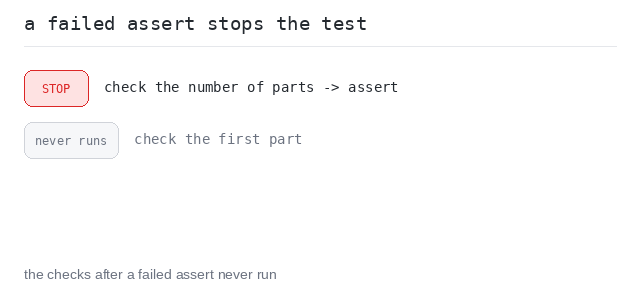
A failing assert raises AssertionError, and that stops the test it is in — the checks written after it never run. This is fail-fast behavior, and it is what you get by default.
To report a problem and keep checking, put each check in its own test_ function. Tests are independent: one failing test does not stop the next one, so a single run can report several problems at once.
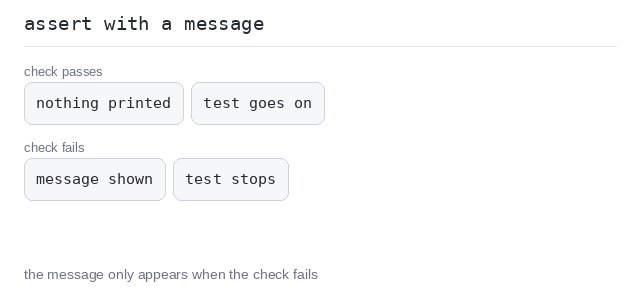
An assert can also carry a message: assert got == want, "explanation". The text is shown above the compared values when the check fails.
Separate Tests: Report and Continue
When you want to check several cases in a row, give each case its own test function. A broken case is reported, and the cases after it are still checked.
That way one pytest run shows you the whole damage — not just the first broken case.
See every broken case at once
This add ignores b, so all three checks fail. Because each check is its own test, all three failure blocks appear in a single run and the summary says 3 failed. Written as three asserts inside one test, only the first would have been reported.
Output: complete Python program
# add has a bug: it ignores b.
def add(a, b):
  return a

def test_add_two_and_two():
  assert add(2, 2) == 4

def test_add_two_and_three():
  assert add(2, 3) == 5

def test_add_ten_and_one():
  assert add(10, 1) == 11
A Failed Assert Stops the Test
Sometimes a failed check means the rest of the test cannot work. A typical case: the test first prepares a value, then inspects it. If the preparation already went wrong, inspecting would be useless or would even crash.
Here the fail-fast assert is exactly what you want. It ends the test right there, and the checks after it never run — and that is the point.
Stop before the useless checks
split_words has a bug (it splits on the wrong character), so 1 part comes back instead of 3. The first assert fails with the message got 1 parts, want 3 - cannot check them and stops the test — the check of the first part below is never reached.
Output: complete Python program
# split_words has a bug: it splits on ";" instead of ",".
def split_words(s):
  return s.split(";")

def test_split():
  parts = split_words("one,two,three")
  assert len(parts) == 3, f"got {len(parts)} parts, want 3 - cannot check them"
  # Never reached while the bug is there.
  assert parts[0] == "one"
Messages on Boolean Checks
For a plain yes-or-no answer there is no got and want pair — you assert the value itself: assert is_even(4) fails when the call returns False.
The message after the comma is optional, but on a bare boolean it is worth writing: without it the failure only shows the call that returned False, with it the failure also says what that means.
Plain messages
Two simple boolean checks with plain messages, both in one test. Both pass here, so the messages stay silent and the run prints 1 passed.
Output: complete Python program
def is_even(n):
  return n % 2 == 0

def test_is_even():
  assert is_even(4), "4 should be even"
  assert not is_even(3), "3 should not be even"