Transforming a Collection
A transformation takes a collection, such as a list or a dictionary, and builds a new collection from it. The original is not changed.
In Python the main tool is the comprehension: a short expression in square brackets that builds a new list, or in curly braces for a new dictionary. Most transformations on this page are one line long. The built-in functions zip and enumerate and the string method join cover the rest.
Python also has a built-in map() function that applies a function to every element. It works, but a comprehension says the same thing more clearly and can also skip elements, so this page uses comprehensions.
Map
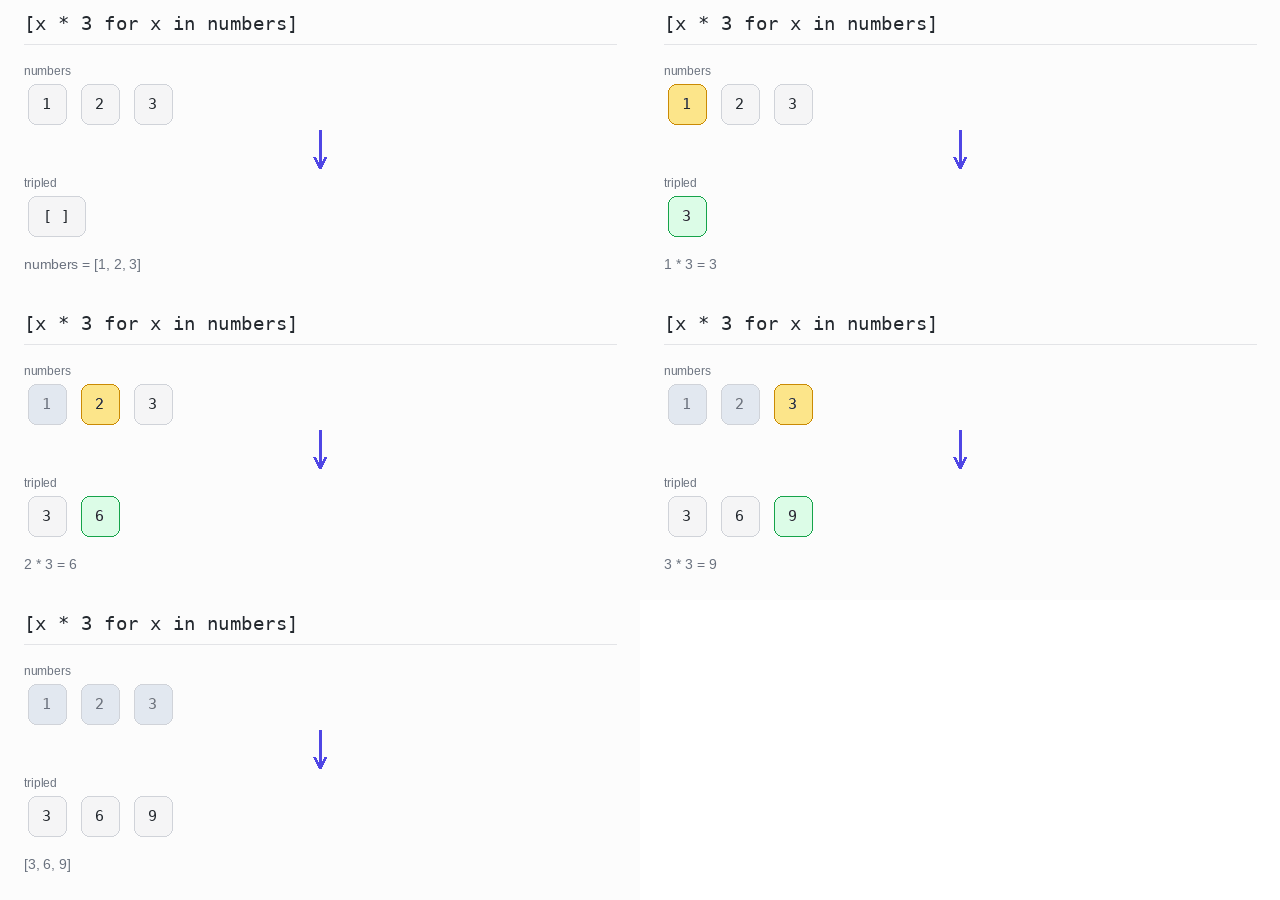
The map operation applies the same function to every element and collects the answers in a new list of the same length. For example, it can turn [1, 2, 3] into [3, 6, 9].
In Python you write a list comprehension: [x * 3 for x in numbers]. It reads almost like English: the new list holds x * 3 for every x in numbers.
Do not confuse this with Python's map() built-in, which does the same job by taking a function object. Here "map" means "apply an expression to every element".
Map with a list comprehension
The comprehension evaluates the expression on every element and collects the results in a new list. Here it multiplies each number by 3.
Output: complete Python program
numbers = [1, 2, 3]

# the comprehension applies the expression to every element
tripled = [x * 3 for x in numbers]
print(tripled)
Map with the index
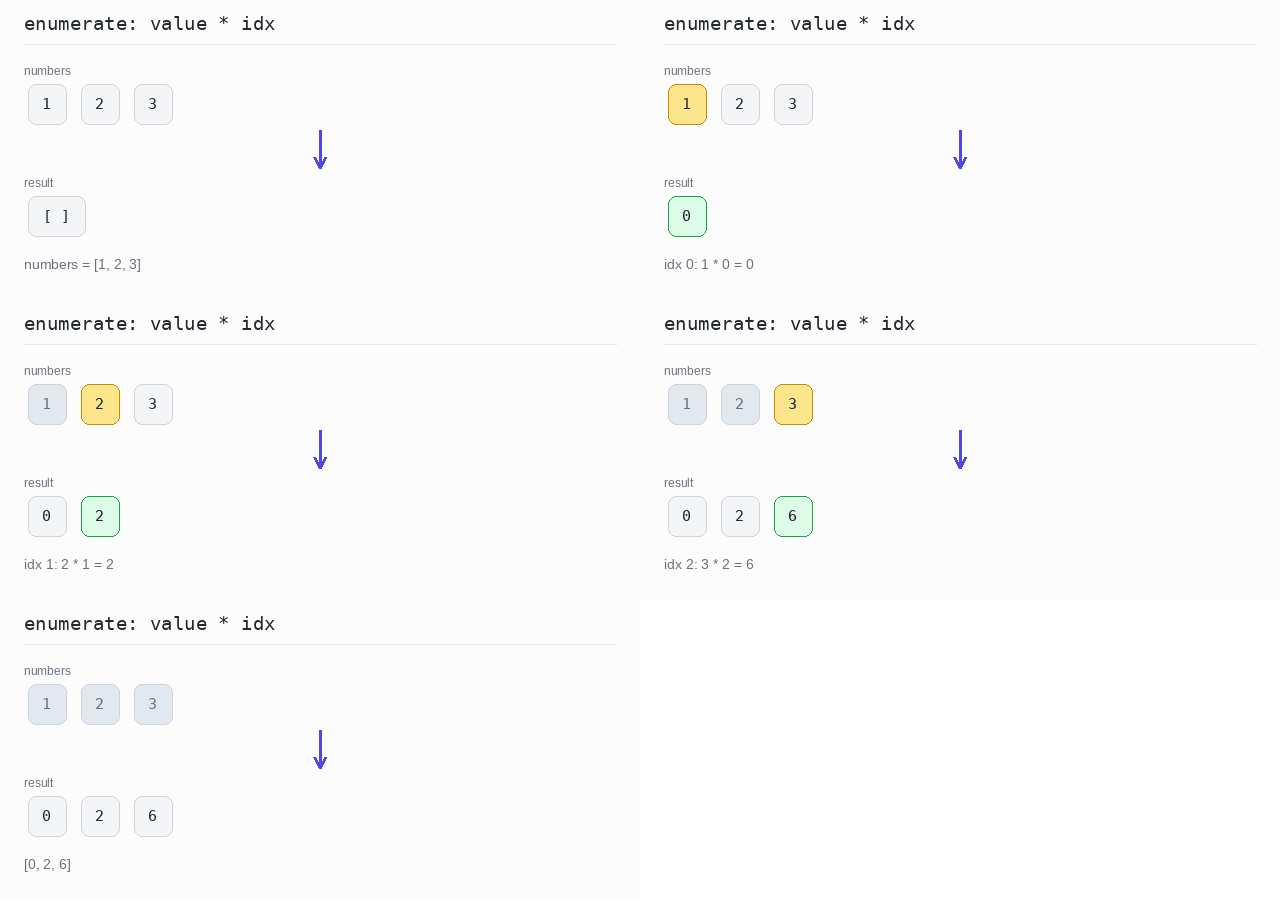
Sometimes the position of an element matters too. enumerate gives you both the index and the value, so the comprehension can use both. Here each value is multiplied by its own index.
Output: complete Python program
numbers = [1, 2, 3]

# enumerate gives the index and the value of each element
result = [value * idx for idx, value in enumerate(numbers)]
print(result)
Skip some results
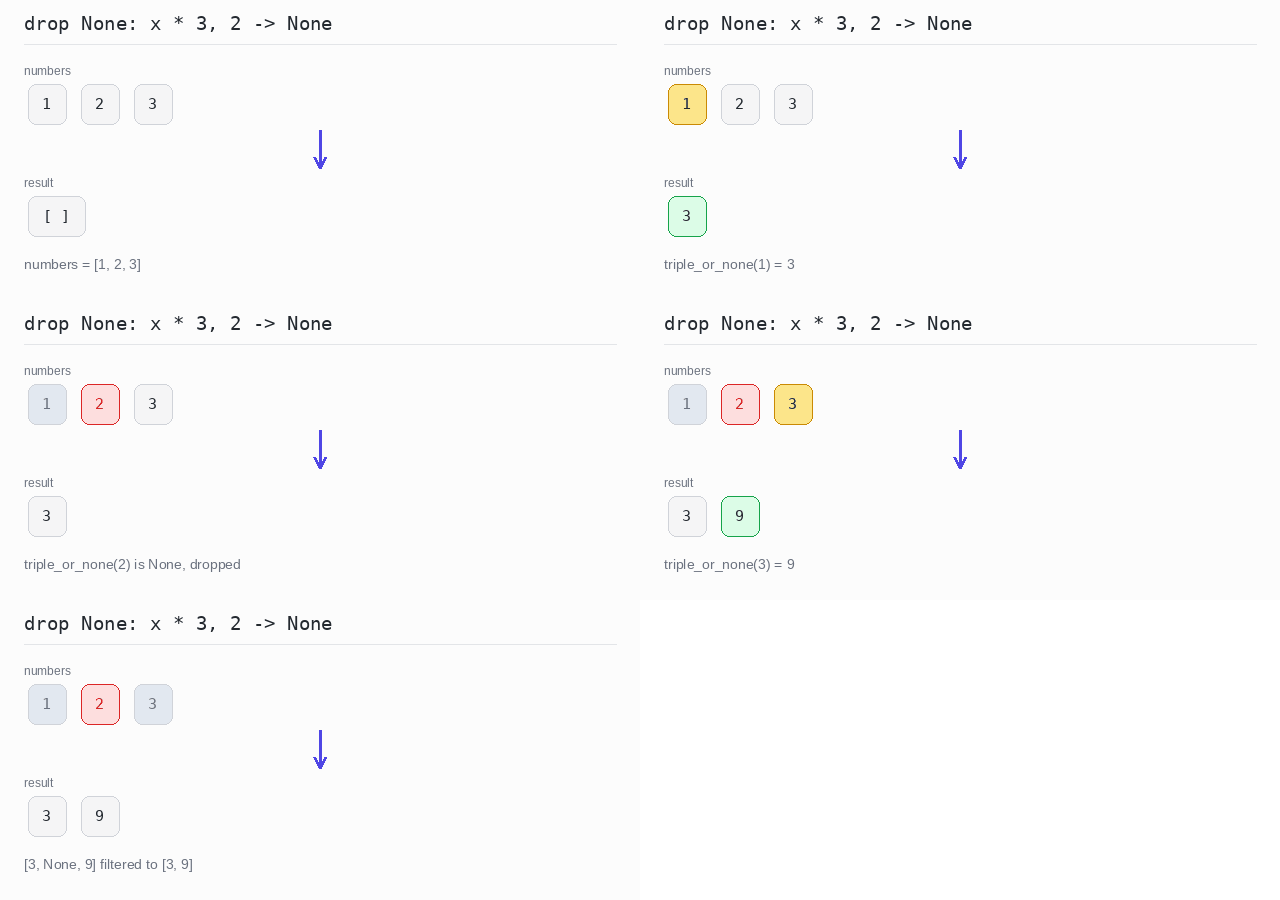
Sometimes some results should be dropped. In Python a function can return None to say "no result". The first comprehension keeps every answer, None included. The second one has an if part that keeps only the results that are not None.
Output: complete Python program
def triple_or_none(x):
  if x == 2:
    return None  # no result for this element
  return x * 3

numbers = [1, 2, 3]
mapped = [triple_or_none(x) for x in numbers]
print(mapped)

# the if part drops every None result
result = [r for r in mapped if r is not None]
print(result)
Transform dictionary keys
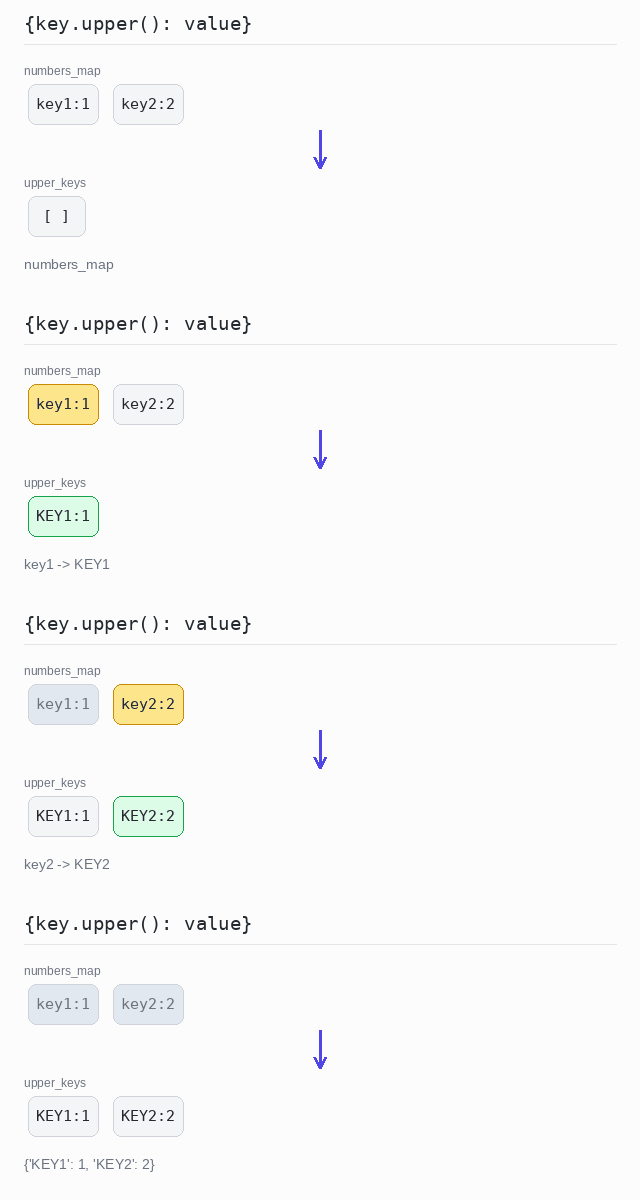
To change the keys of a dictionary, build a new dictionary with a dict comprehension over items(). Here upper() turns each key into uppercase. A dictionary keeps its entries in insertion order, so the output is always in the same order.
Output: complete Python program
numbers_map = {"key1": 1, "key2": 2}

# copy every entry, but change the key to uppercase
upper_keys = {key.upper(): value for key, value in numbers_map.items()}
print(upper_keys)
Transform dictionary values
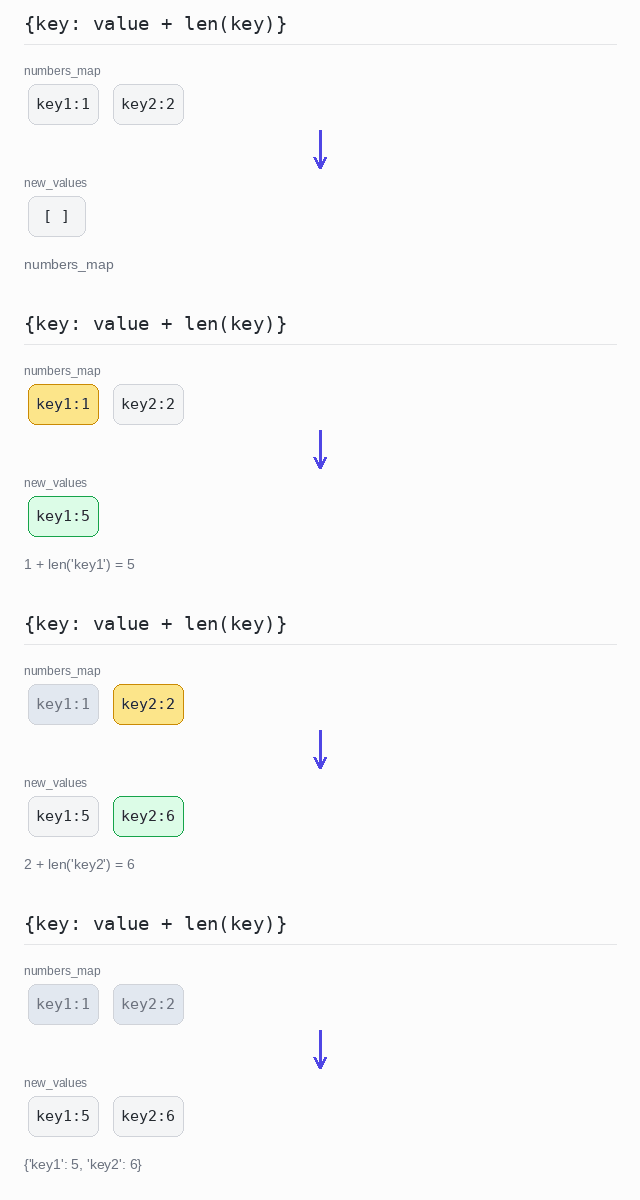
To change the values, do the same but keep the key and compute a new value. Here each value grows by the length of its key: 1 + len("key1") is 5.
Output: complete Python program
numbers_map = {"key1": 1, "key2": 2}

# keep the key, change the value
new_values = {key: value + len(key) for key, value in numbers_map.items()}
print(new_values)
Zip
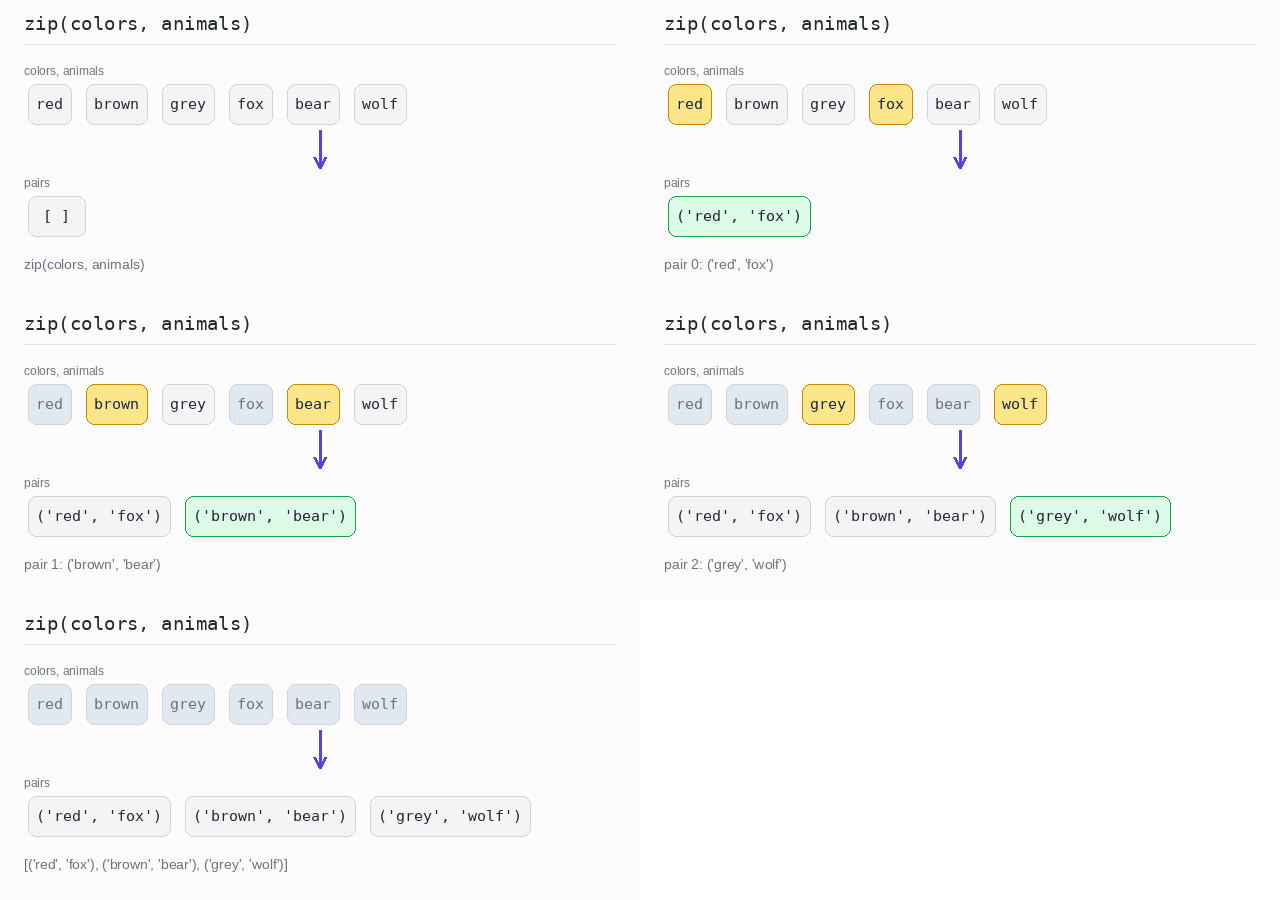
Zipping takes two lists and pairs up their elements by position: the first with the first, the second with the second, and so on. The result has as many pairs as the shorter list.
Python has a built-in zip function. It returns a lazy iterator of tuples, so wrap it in list() when you want to see or reuse the pairs.
Zip two lists
zip pairs one color with one animal and stops at the shorter list by itself. Each pair is a tuple, printed in round brackets.
Output: complete Python program
colors = ["red", "brown", "grey"]
animals = ["fox", "bear", "wolf"]

# zip pairs elements by position and stops at the shorter list
pairs = list(zip(colors, animals))
print(pairs)
Zip with a transformation
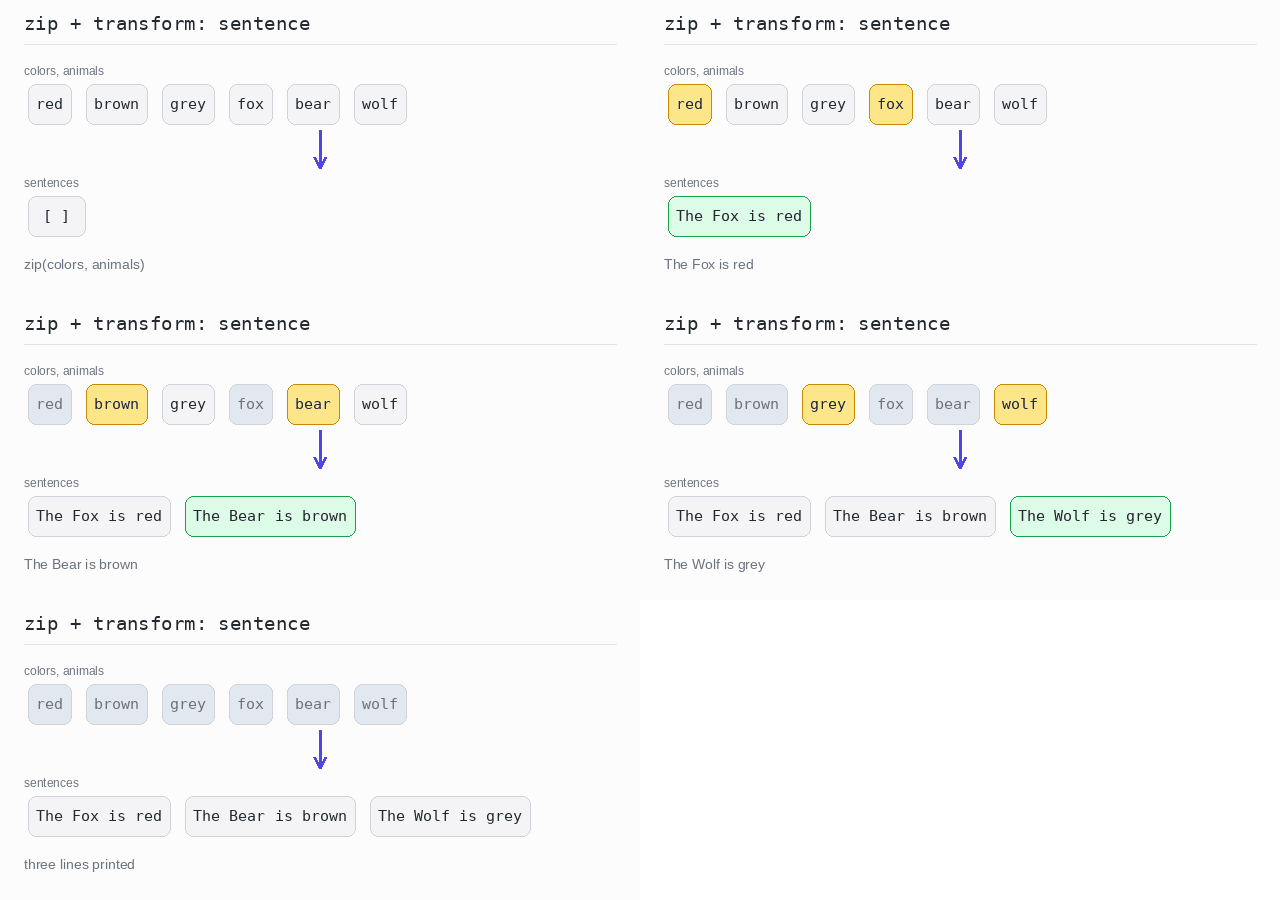
You do not always need the pairs themselves. Here a comprehension loops over zip(colors, animals) and builds a sentence from each pair. capitalize() makes the first letter of the animal name uppercase.
Output: complete Python program
colors = ["red", "brown", "grey"]
animals = ["fox", "bear", "wolf"]

# use both elements straight away to build a sentence
sentences = ["The " + animal.capitalize() + " is " + color
             for color, animal in zip(colors, animals)]
for line in sentences:
  print(line)
Unzip a list of pairs
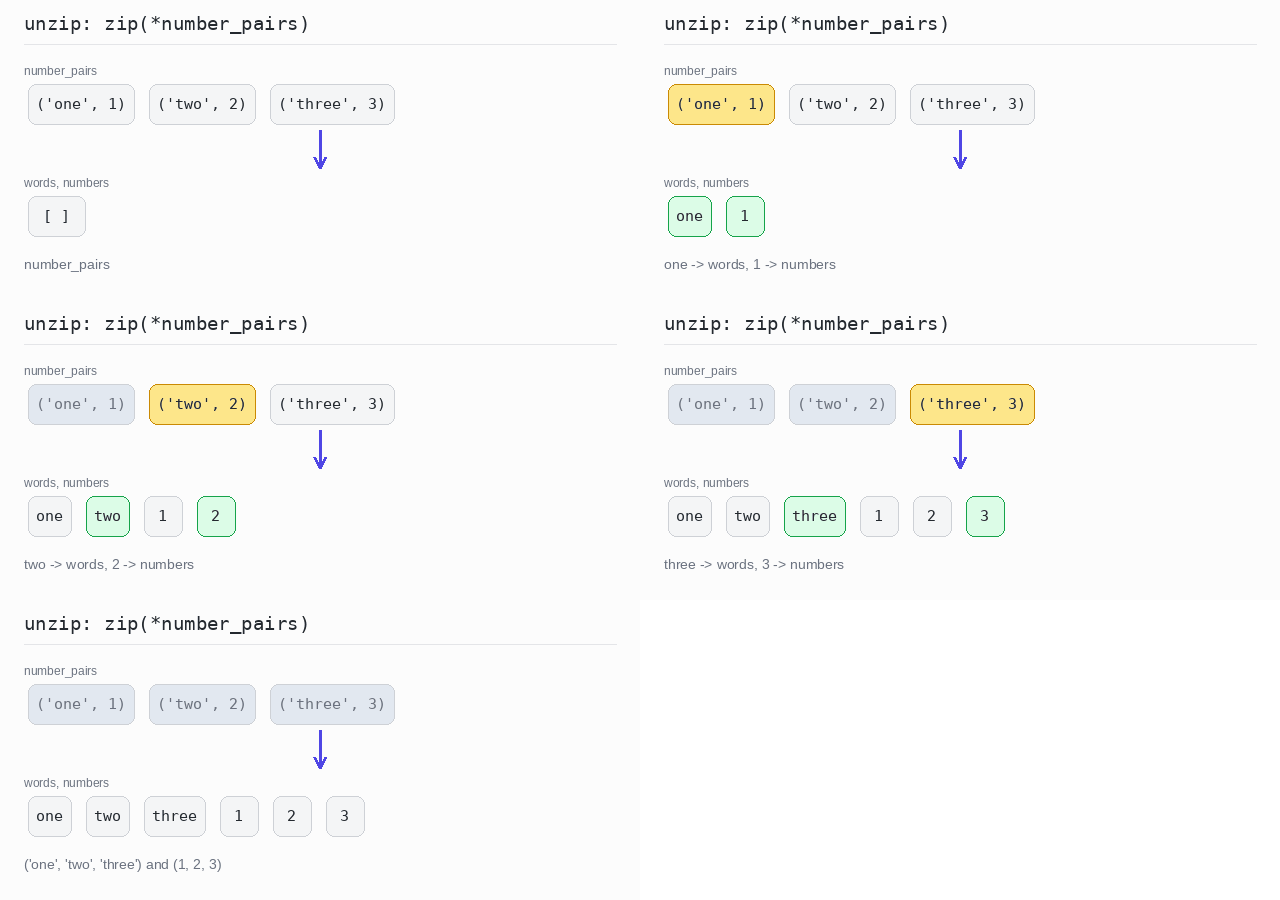
Unzipping is the reverse: one list of pairs becomes two collections. The star in zip(*number_pairs) unpacks the list, so zip receives the three pairs as separate arguments and regroups their first parts and their second parts. The two results are tuples.
Output: complete Python program
number_pairs = [("one", 1), ("two", 2), ("three", 3)]

# the star unpacks the list, zip regroups firsts and seconds
words, numbers = zip(*number_pairs)
print(words)
print(numbers)
Associate
Associating builds a dictionary from a list. Each element gives you one key and one value. A dictionary cannot hold the same key twice, so if two elements produce the same key, the later one wins.
In Python you write a dict comprehension: {key: value for element in items}, where the key and the value are computed from each element.
Elements as keys
The element itself becomes the key, and a value is computed from it. Here the words are keys and their lengths are values.
Output: complete Python program
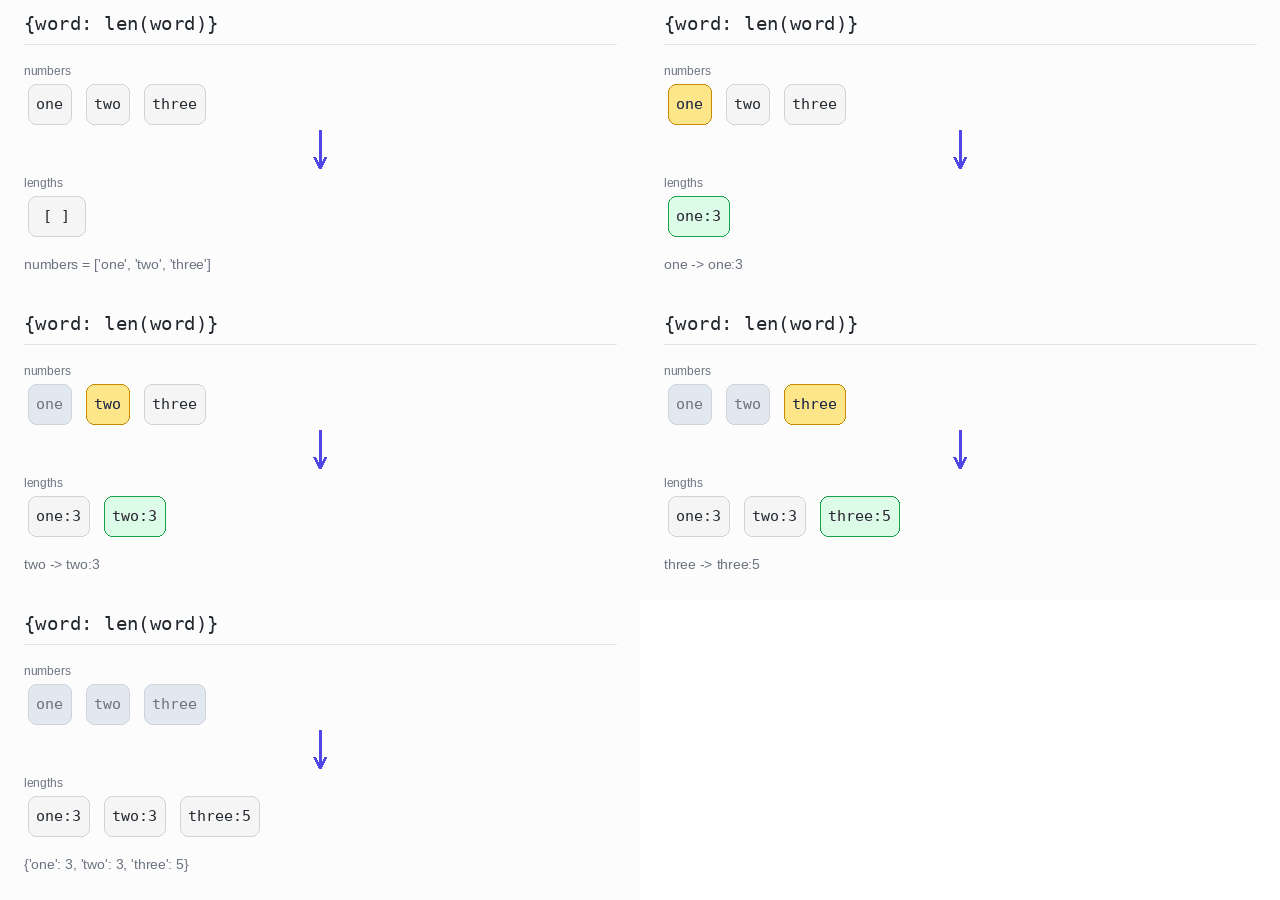
numbers = ["one", "two", "three"]

# each word becomes a key, its length becomes the value
lengths = {word: len(word) for word in numbers}
print(lengths)
Elements as values
The element becomes the value, and the key is computed from it. Here the key is the uppercase first letter. Both two and three start with T, so three replaces two and the dictionary has only two entries.
Output: complete Python program
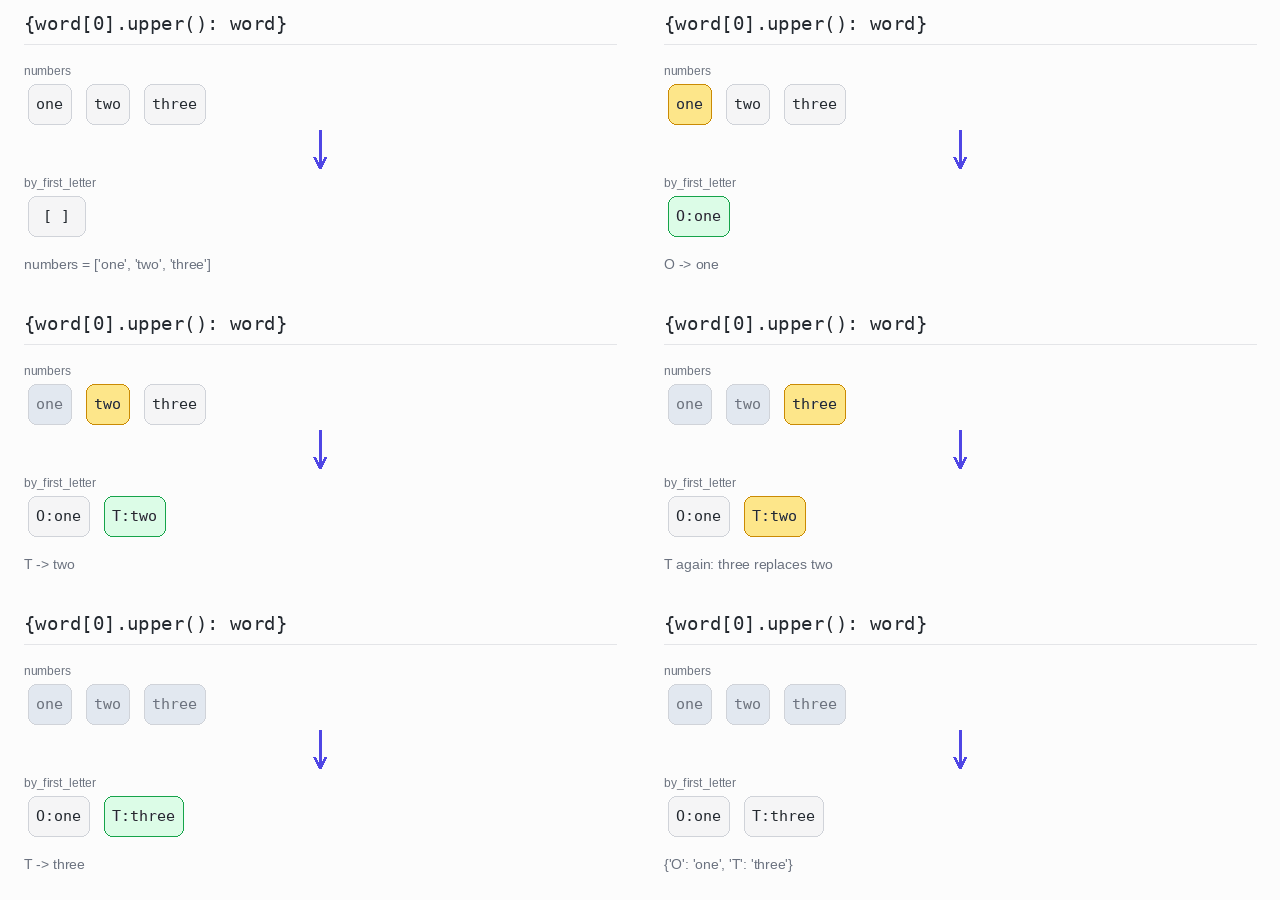
numbers = ["one", "two", "three"]

# the key is the first letter; a later word replaces
# an earlier one with the same key
by_first_letter = {word[0].upper(): word for word in numbers}
print(by_first_letter)
Compute both key and value
You can compute both the key and the value from the element. Here the key is the first letter and the value is the word length. Again the later T entry wins.
Output: complete Python program
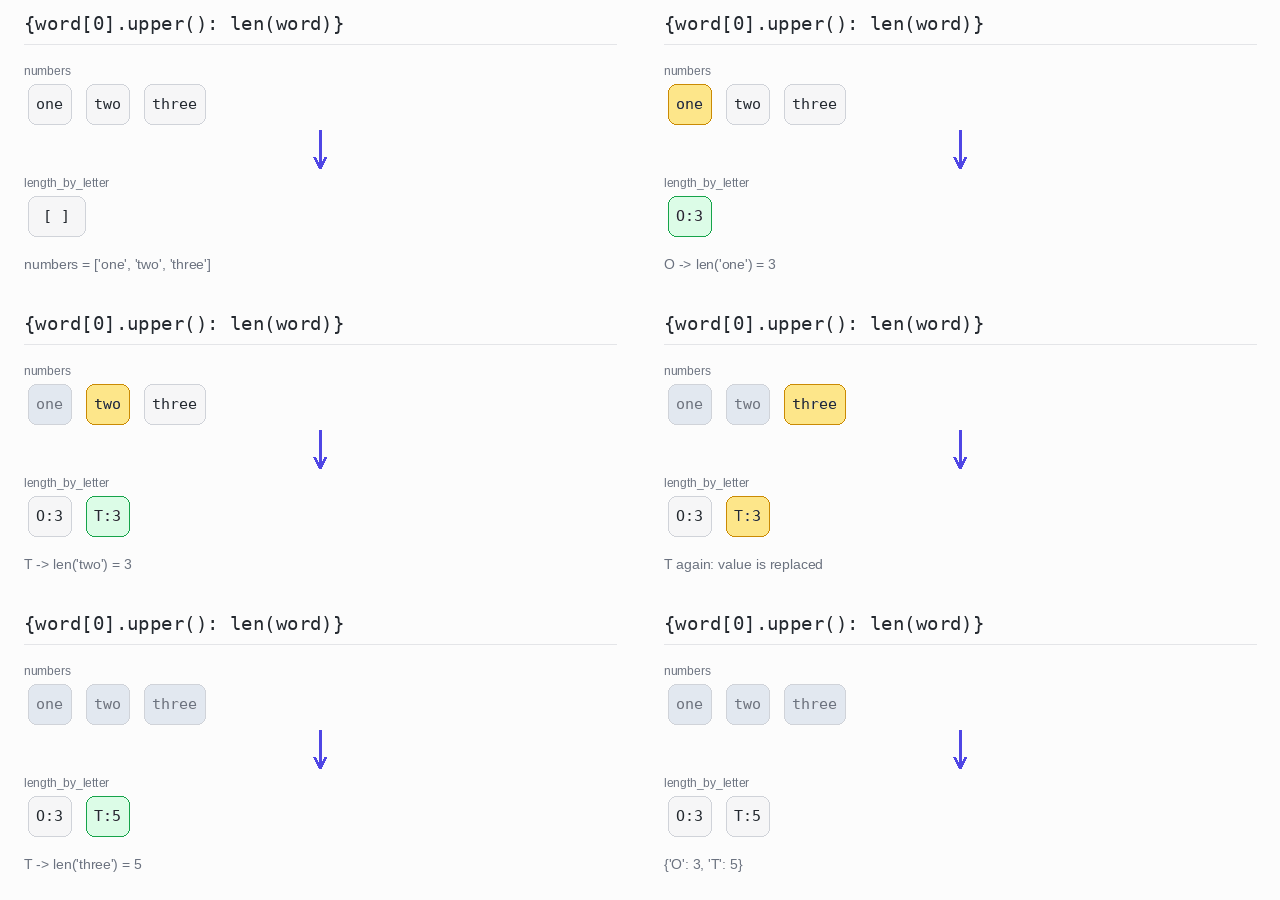
numbers = ["one", "two", "three"]

# the key is the first letter, the value is the word length
length_by_letter = {word[0].upper(): len(word) for word in numbers}
print(length_by_letter)
Key and value from one element
Sometimes one element carries both parts. split() cuts a full name on spaces into a list of words, and unpacking names the two parts. The last name becomes the key and the first name becomes the value.
Output: complete Python program
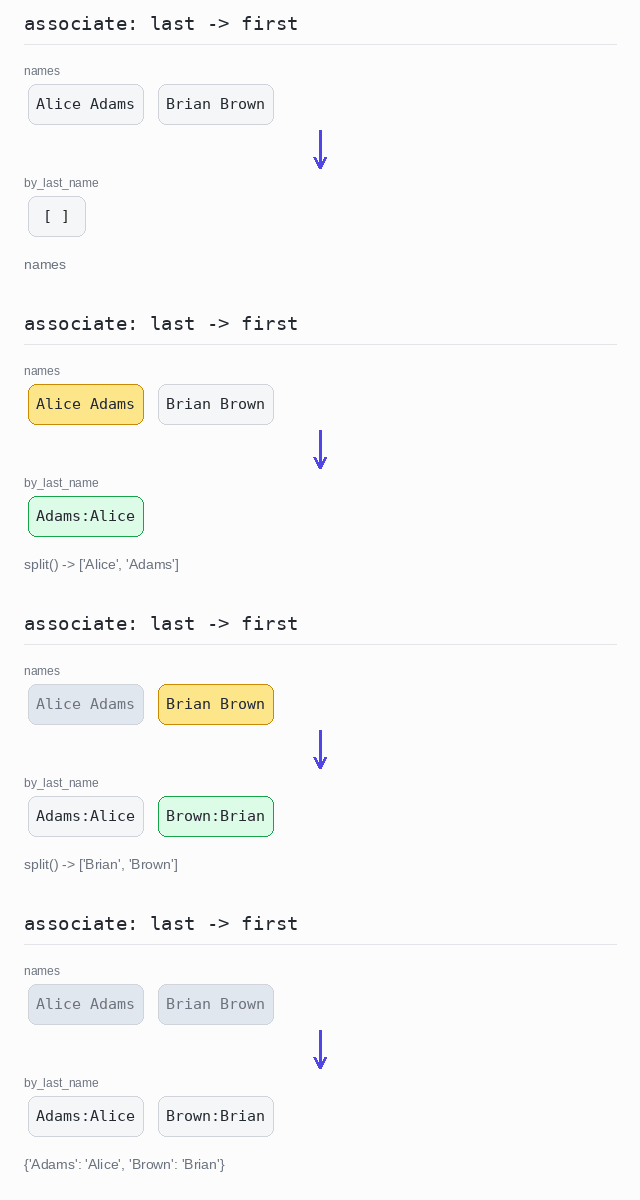
names = ["Alice Adams", "Brian Brown"]

by_last_name = {}
for full_name in names:
  first, last = full_name.split()  # split on spaces
  by_last_name[last] = first       # last name -> first name
print(by_last_name)
Flatten
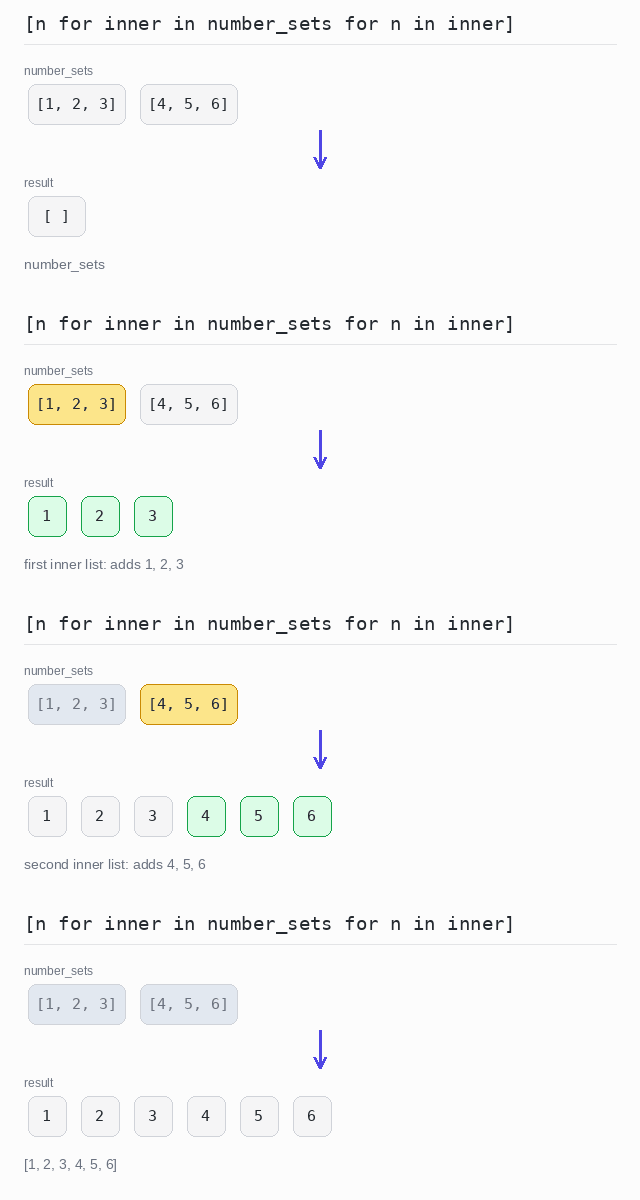
Flattening turns a nested collection, such as a list of lists, into one plain list with all the elements in order.
A comprehension can have two for parts: [n for inner in number_sets for n in inner]. Read them left to right: for every inner list, for every element in it, keep the element.
Flatten a list of lists
The comprehension visits each inner list and collects all of its elements into result. Two inner lists of three numbers become one list of six.
Output: complete Python program
number_sets = [[1, 2, 3], [4, 5, 6]]

# for every inner list, for every element in it, keep the element
result = [n for inner in number_sets for n in inner]
print(result)
Flatten values from objects
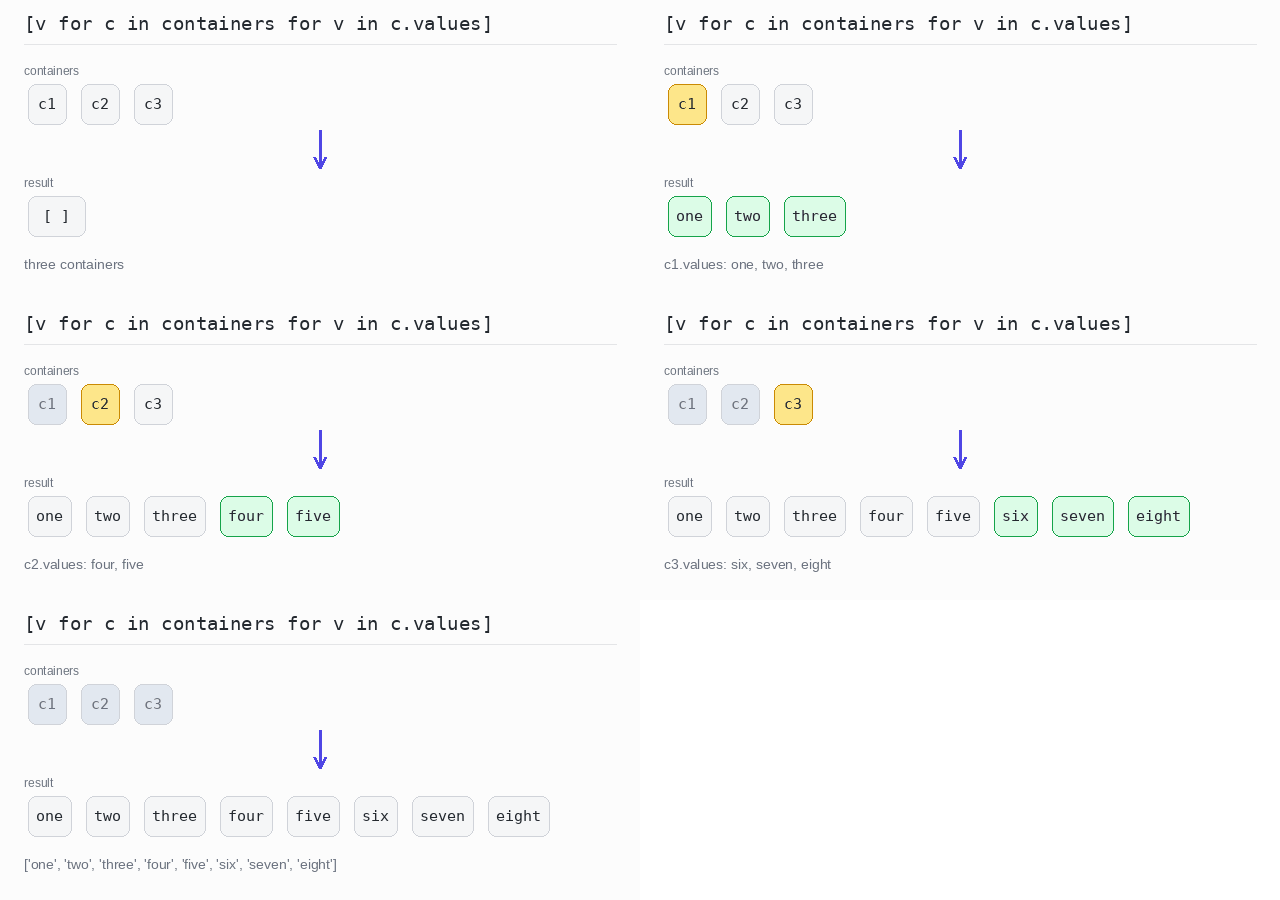
A flat map first takes a list out of every element, then joins all those lists together. Here the first for walks the containers and the second walks c.values. All values from the three containers end up in one list.
Output: complete Python program
class Container:
  def __init__(self, values):
    self.values = values

containers = [
  Container(["one", "two", "three"]),
  Container(["four", "five"]),
  Container(["six", "seven", "eight"]),
]

# take the values of each container and add them all to one list
result = [value for c in containers for value in c.values]
print(result)
String Representation
Often you want to show a collection as readable text, for example with commas between the elements.
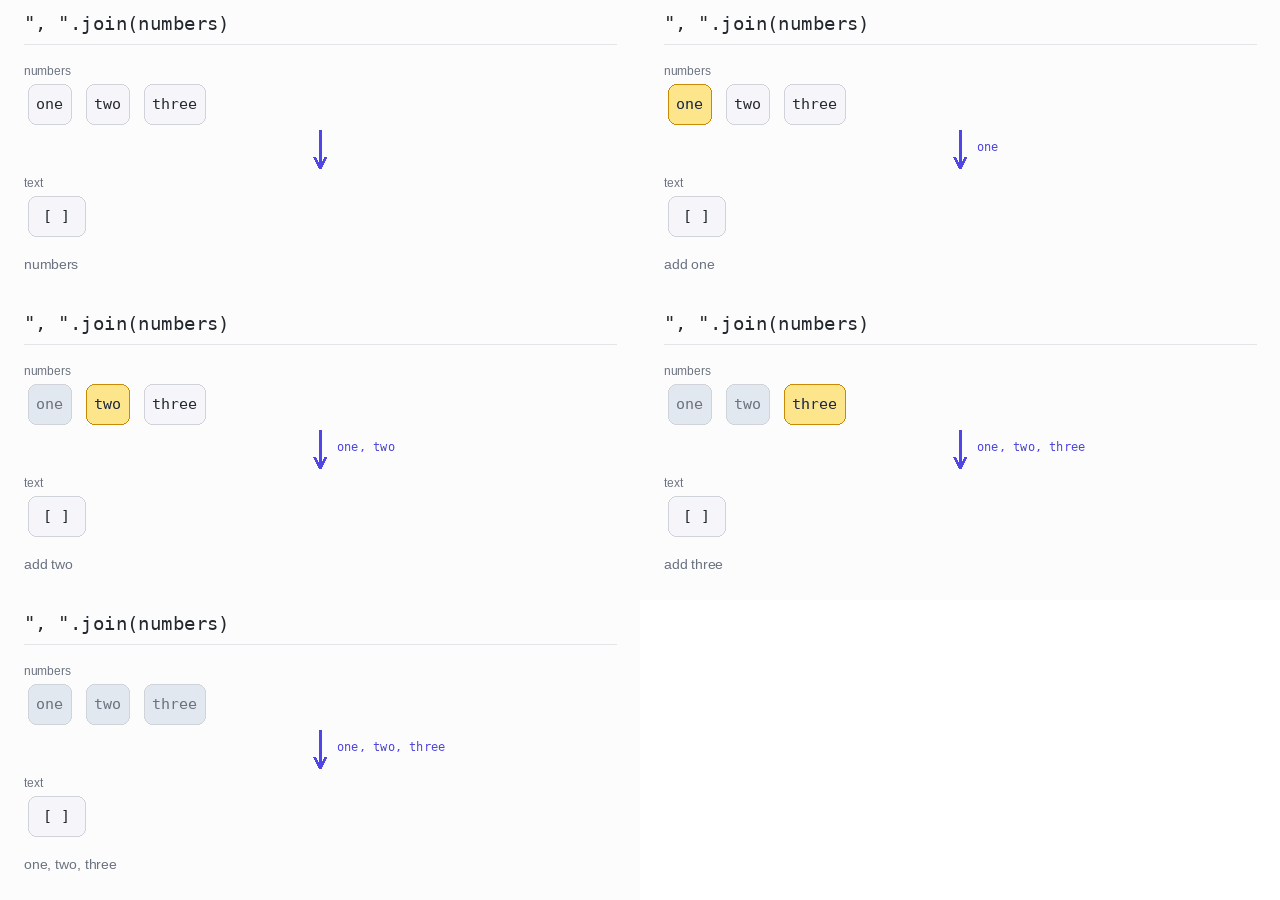
In Python the separator string has the join method: ", ".join(words) returns one string. join accepts only strings, so numbers must be converted first, for example with str(n) in a comprehension. The extras — a prefix, a postfix, a limit, or a transformation — are done with plain string concatenation or a slice before joining.
Join with a separator
join puts ", " between the words and returns one string. Note that the separator comes first: it is the string you call the method on.
Output: complete Python program
numbers = ["one", "two", "three"]
print(", ".join(numbers))
Add a prefix and a postfix
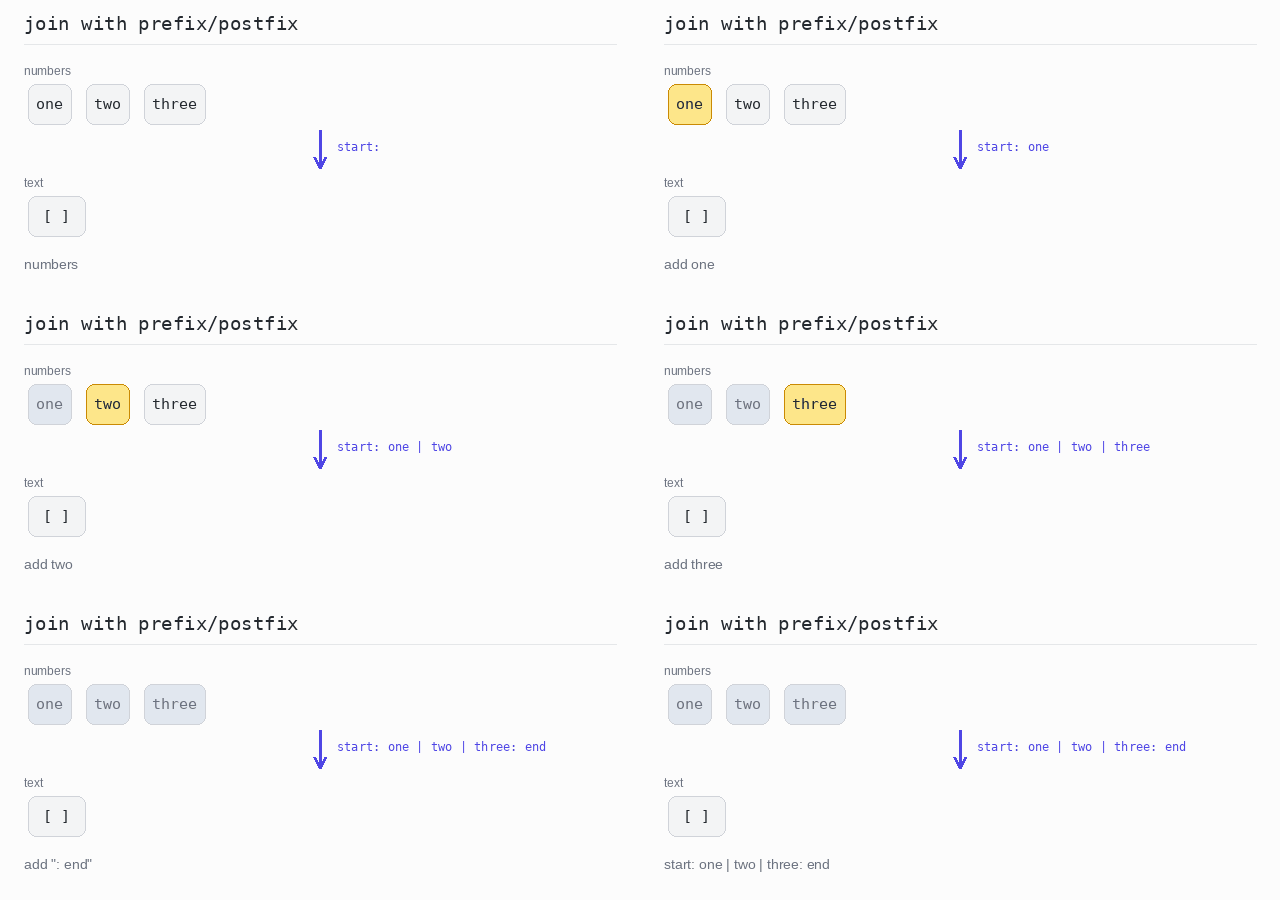
A prefix and a postfix are just text around the joined result. In Python you add them with +.
Output: complete Python program
numbers = ["one", "two", "three"]

# add the prefix and postfix around the joined text
text = "start: " + " | ".join(numbers) + ": end"
print(text)
Limit the number of elements
For a long list you may want to show only the first few elements. The slice numbers[:10] takes the first 10, the comprehension turns each into a string with str(n), and "<...>" at the end shows that more elements were cut off.
Output: complete Python program
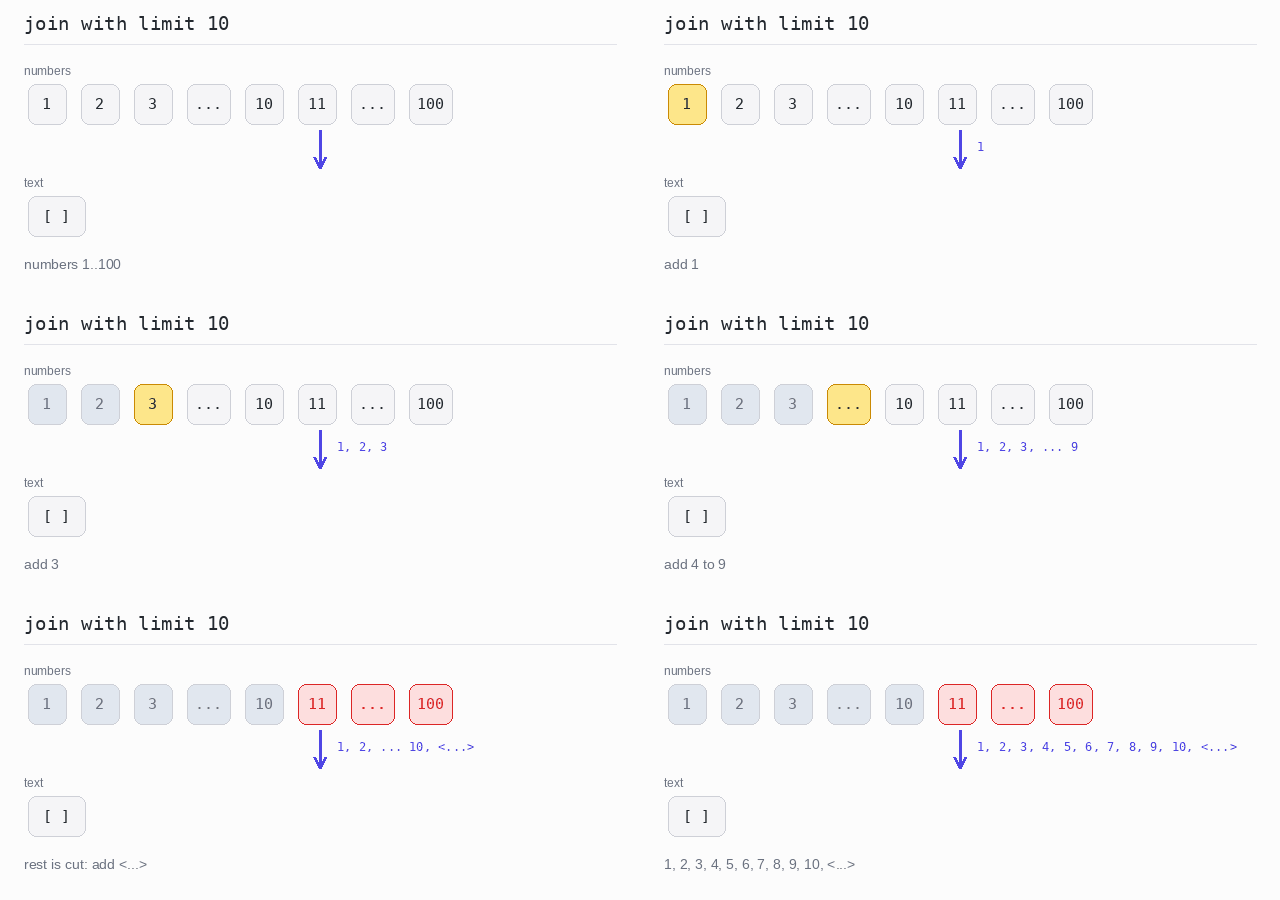
numbers = list(range(1, 101))

# take only the first 10 numbers, as strings
limit = 10
parts = [str(n) for n in numbers[:limit]]
if len(numbers) > limit:
  parts.append("<...>")
print(", ".join(parts))
Transform each element before joining
To change every element before joining, build a new list of strings with a comprehension, then call join on it. Here each word becomes "Element: " plus the word in uppercase.
Output: complete Python program
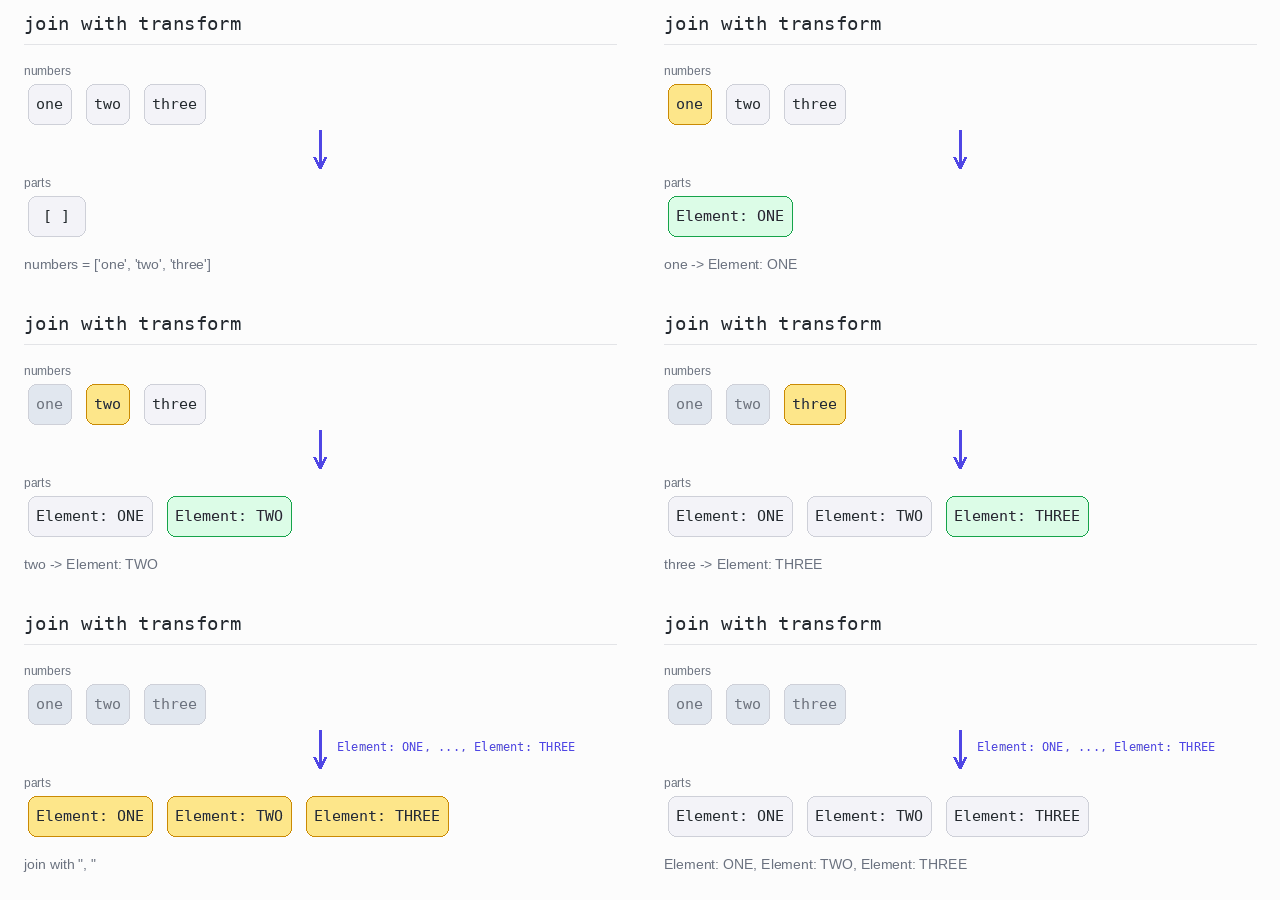
numbers = ["one", "two", "three"]

# change each word first, then join the results
parts = ["Element: " + word.upper() for word in numbers]
print(", ".join(parts))