Retrieving Single Elements
This lesson shows how to get one element out of a list: by its position, by a condition, or at random. It also shows how to check whether an element exists at all.
Python has None, a special value that means "no value". When a lookup can fail, a Python function can return the element or None, and the caller tests the result with is not None.
Reading a position that does not exist, such as words[5] in a list of 5 elements, stops the program with an IndexError (a runtime error). So we either check len() first or use a helper that does.
Other languages have many ready-made functions for this. Python keeps it to a few tools: square brackets, the built-in next() function with a default, and a small helper function you write once.
Retrieve by Position
Every element in a list has a position called an index. The first index is 0, so the last one is len(words)-1.
To read an element by position, write the index inside square brackets: words[3]. Python also counts from the end: a negative index such as words[-1] reads the last element without any length arithmetic.
Python has no element_at_or_none() or element_at_or_else(). A small helper checks the index against len() and returns either the element or None, or the result of a fallback function. This way an out-of-range index cannot raise an IndexError.
Element at a position
words[3] reads the element at index 3. Since counting starts at 0, that is the fourth word.
Output: complete Python program
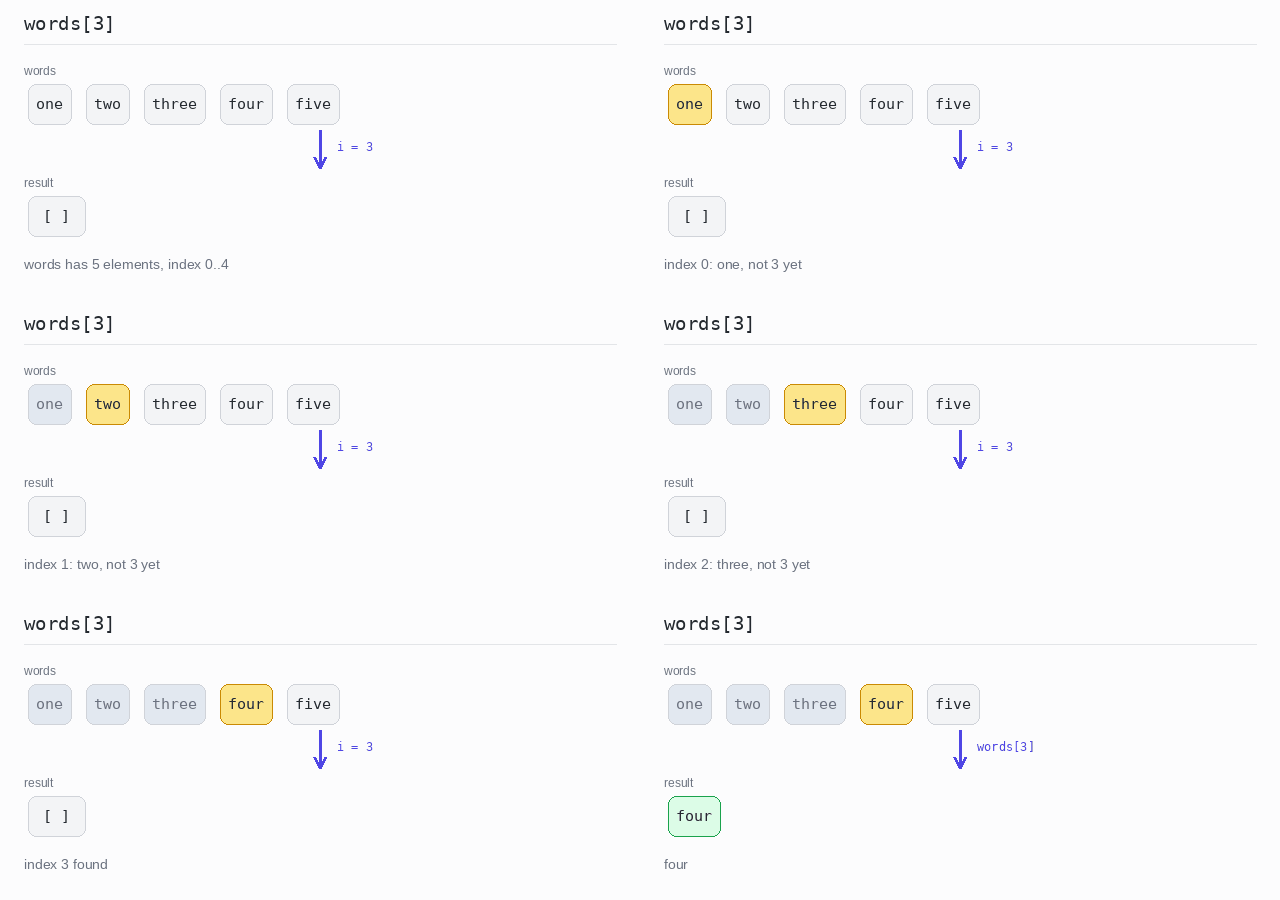
words = ["one", "two", "three", "four", "five"]

# Positions start at 0, so index 3 is the fourth element.
print(words[3])
First and last element
The first element is words[0]. The last one is words[-1]: a negative index counts from the end, so -1 is the last element and -2 the one before it.
Output: complete Python program
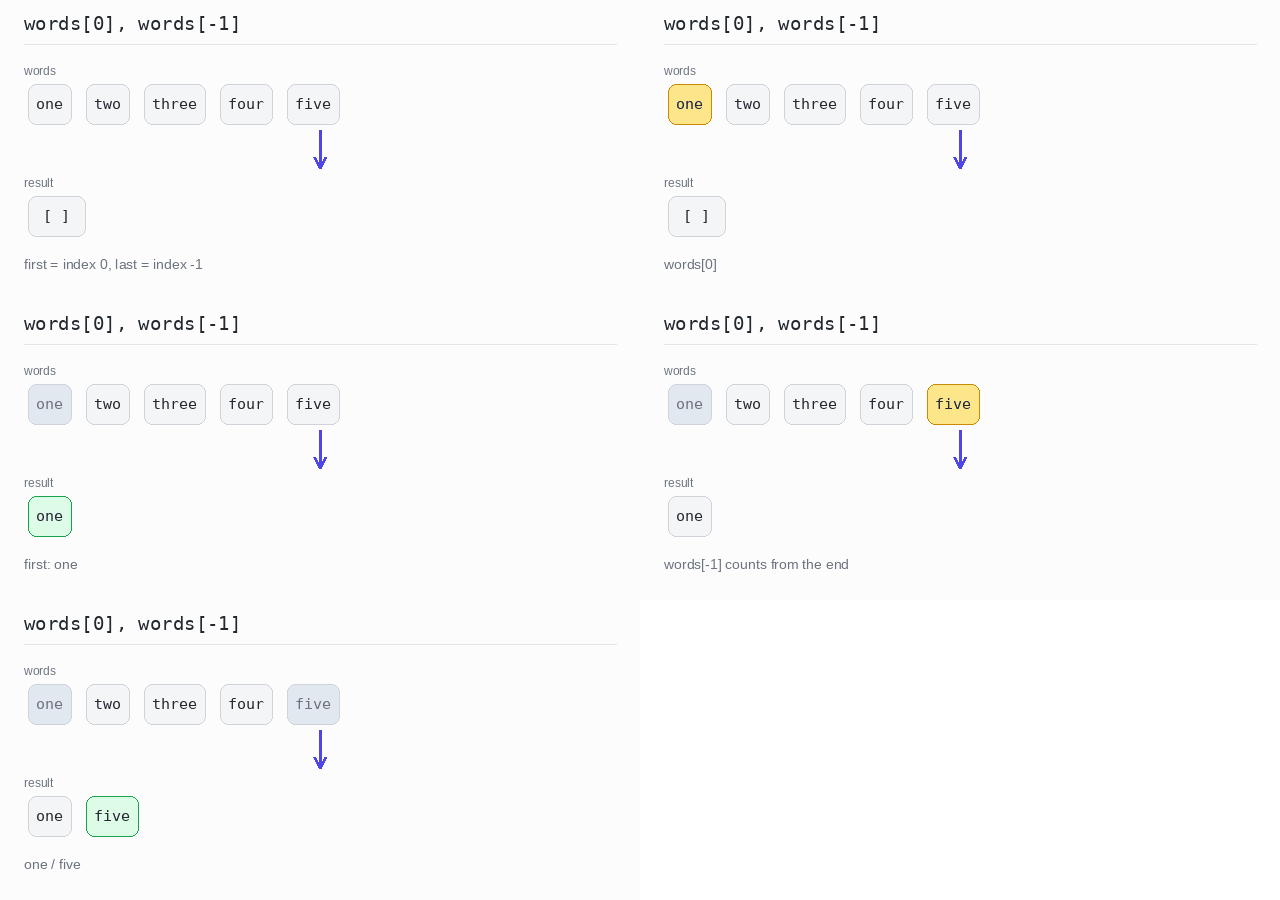
words = ["one", "two", "three", "four", "five"]

# The first element is at index 0; a negative index counts from the end.
print(words[0])
print(words[-1])
Element at a position, or None
element_at checks the index against len(). Index 1 is in range, so it returns the word two. Index 5 is out of range, so it returns None instead of raising an IndexError.
Output: complete Python program
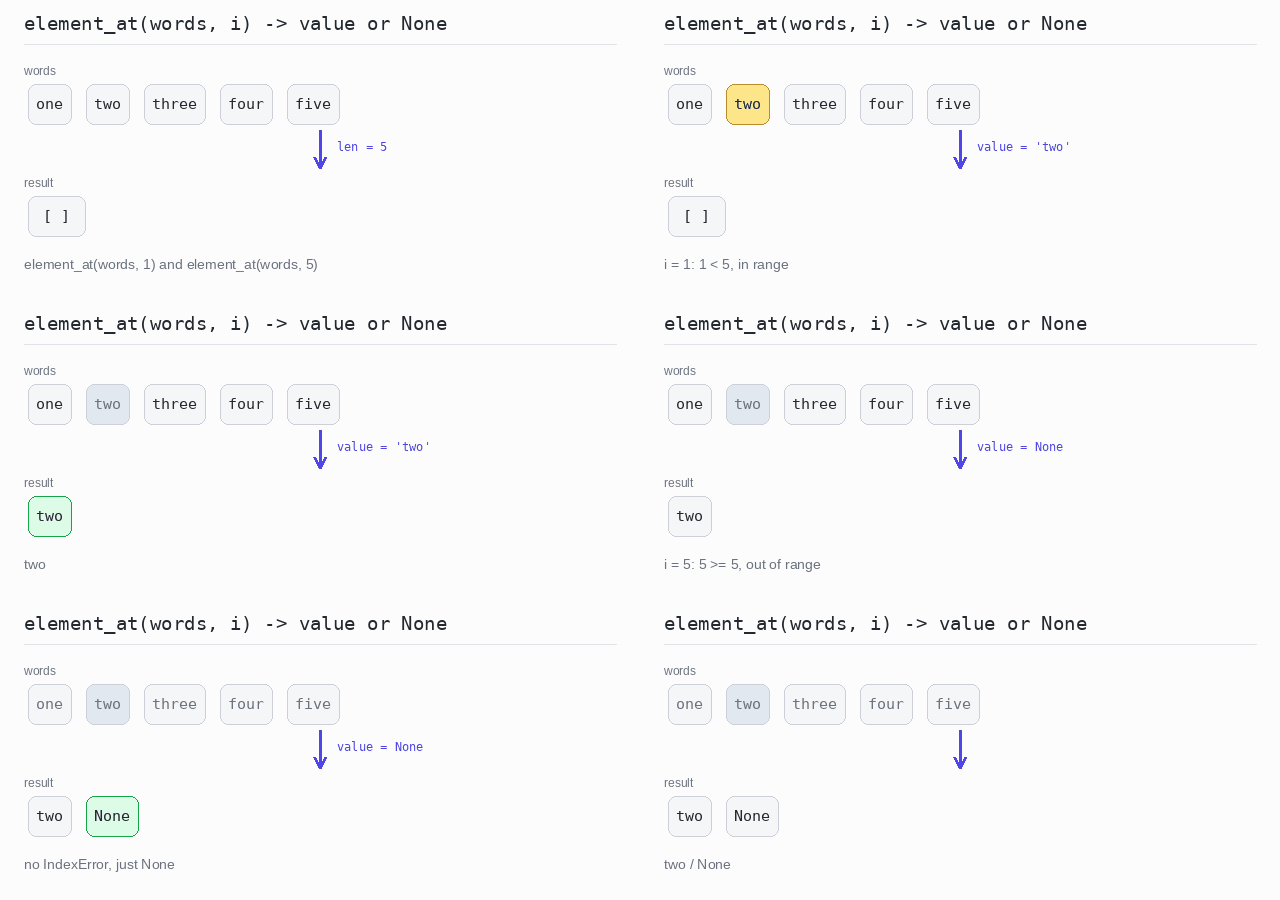
def element_at(items, i):
  # None instead of an IndexError when the index is out of range.
  if i < 0 or i >= len(items):
    return None
  return items[i]

words = ["one", "two", "three", "four", "five"]

print(element_at(words, 1))

# Index 5 does not exist: no IndexError, just None.
print(element_at(words, 5))
Element at a position, or a fallback
element_at_or_else takes a fallback function. The function receives the index, so it can build a message like "The value for index 5 is undefined".
Output: complete Python program
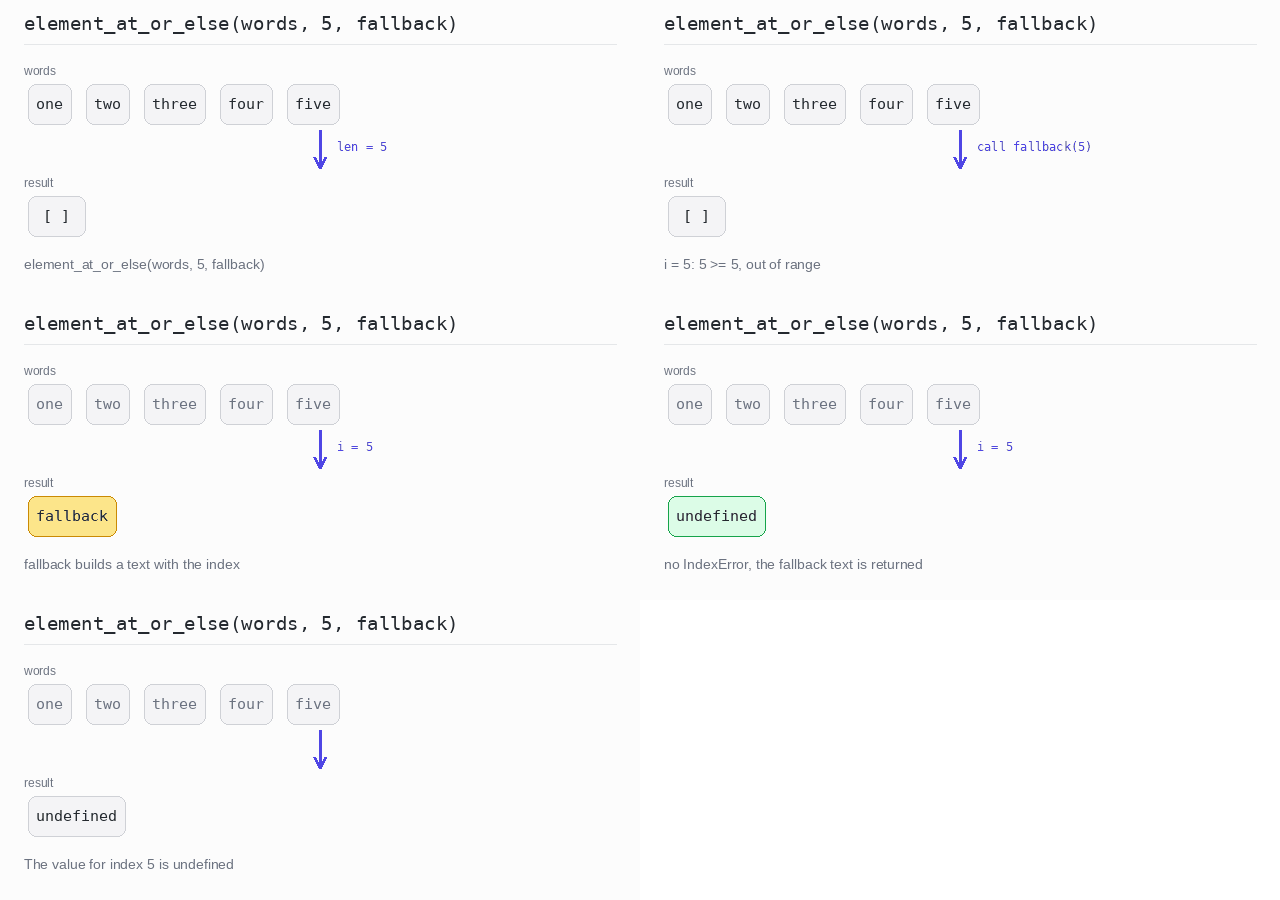
def element_at_or_else(items, i, fallback):
  # Out of range: return the result of fallback(i) instead.
  if i < 0 or i >= len(items):
    return fallback(i)
  return items[i]

words = ["one", "two", "three", "four", "five"]

print(element_at_or_else(words, 5,
                         lambda i: f"The value for index {i} is undefined"))
Retrieve by Condition
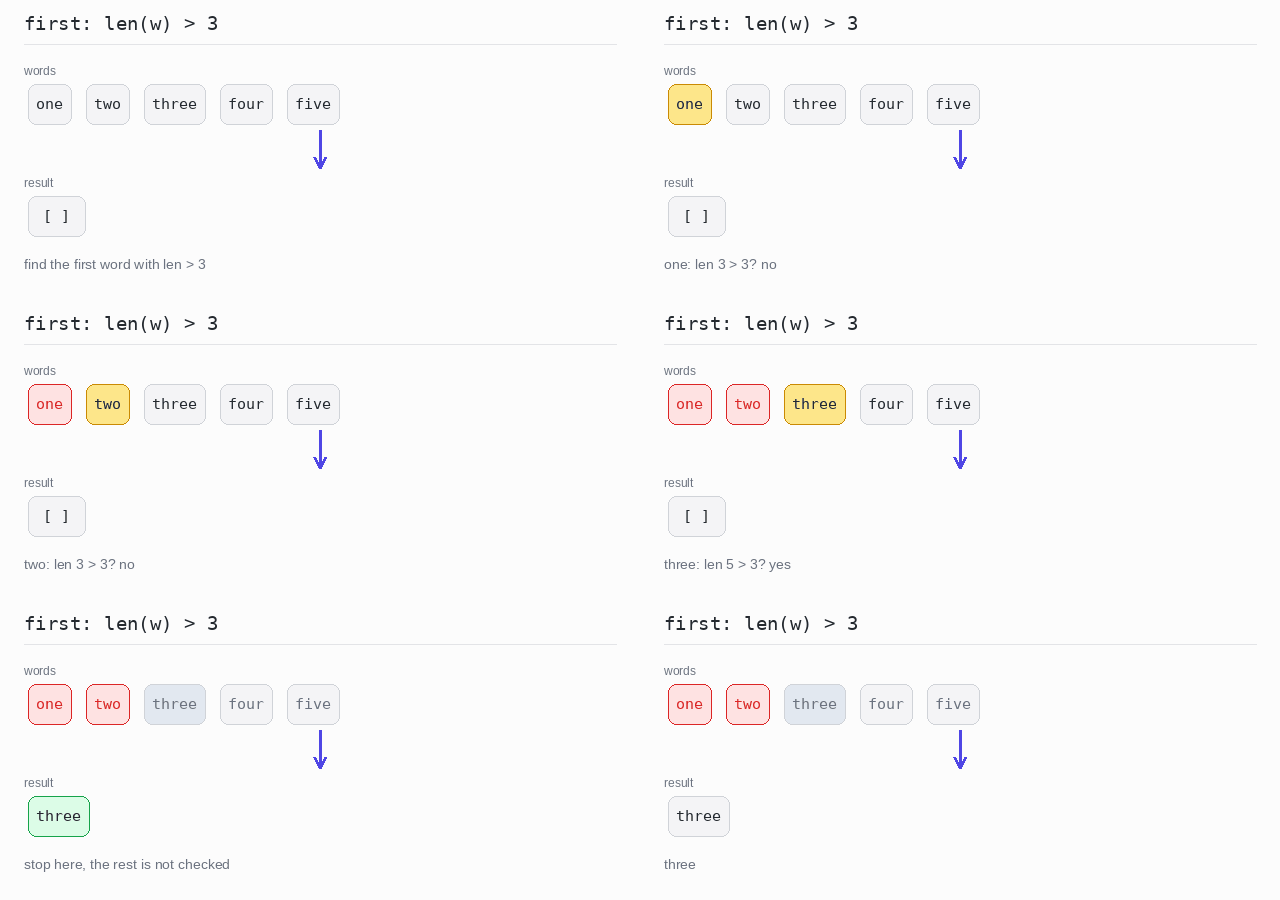
Often you do not know the position. You know a condition instead: the first word longer than 3 letters, the last word that starts with "f". The condition sits in a generator expression such as w for w in words if len(w) > 3, which produces only the matching words.
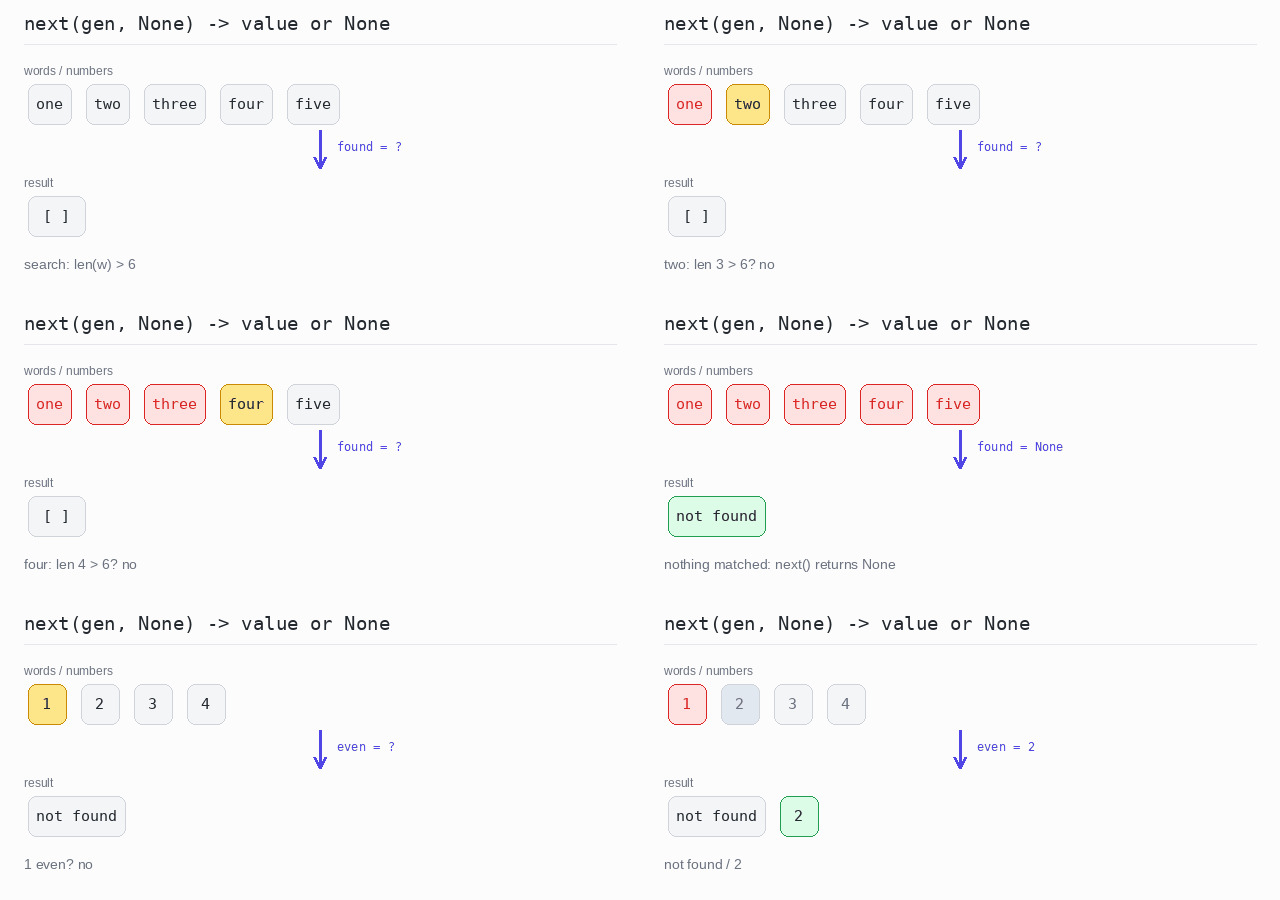
For the first match, pass the generator to the built-in next() function. It takes the first value the generator produces and does not look at the rest. When nothing matches, next() raises a StopIteration error — unless you give it a second argument, a default, which is returned instead.
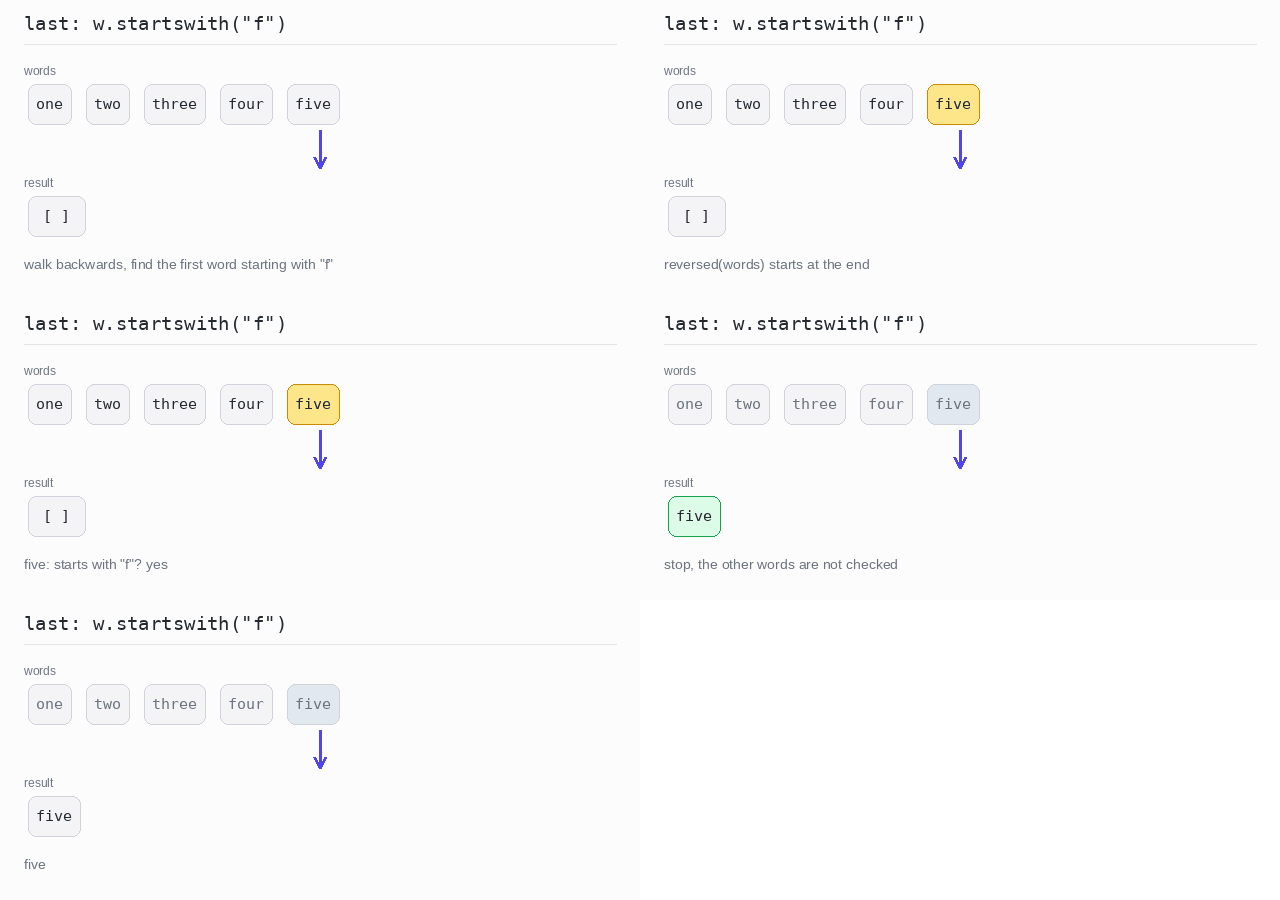
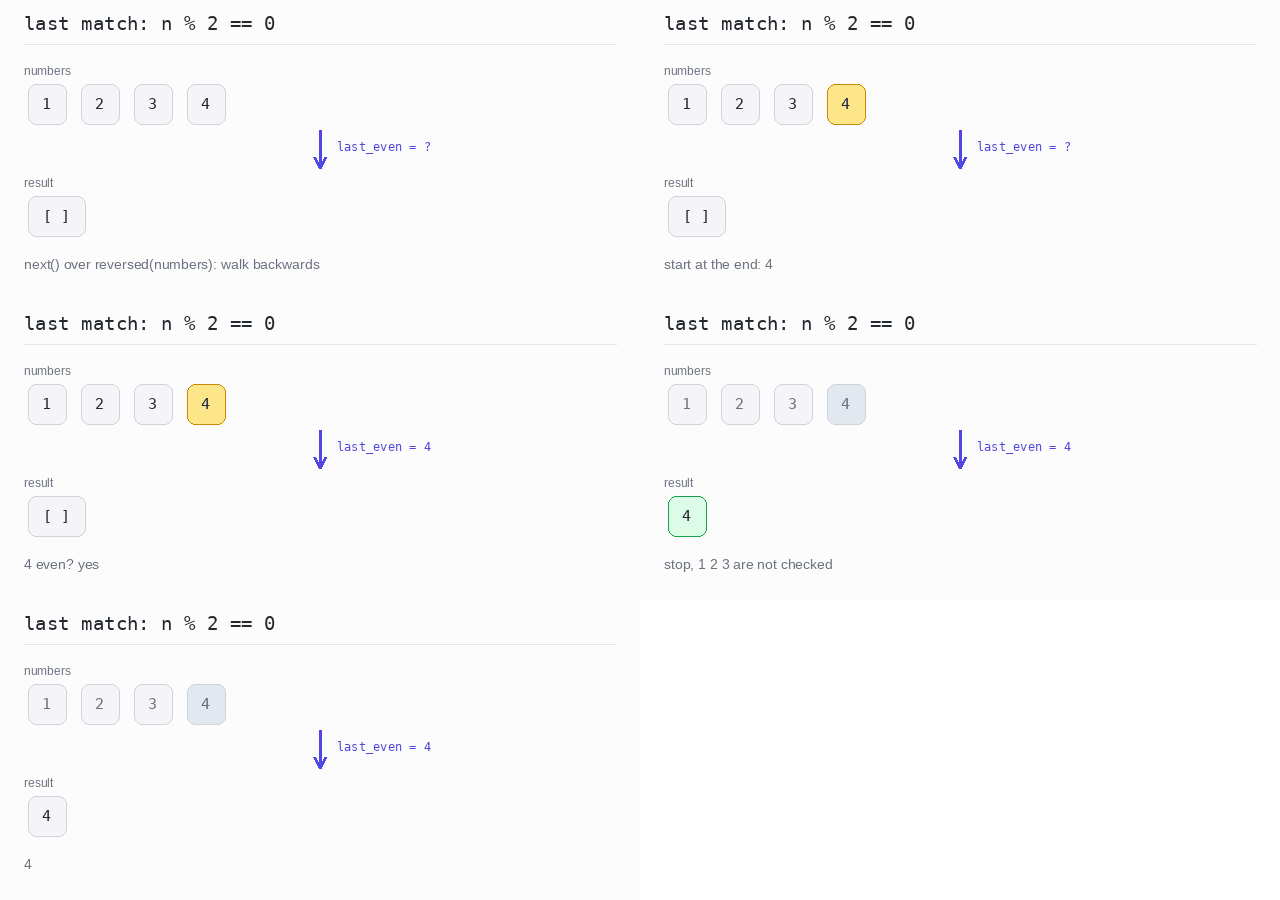
There is no last-match function. reversed() walks the list backwards, so next() over a reversed generator finds the last match: the first hit while walking backwards is the last one in the list.
With None as the default, "nothing matched" is just a result that is None.
First match
next() takes the first word the generator produces with len(w) > 3. That word is three.
Output: complete Python program
words = ["one", "two", "three", "four", "five"]

# next() takes the first value the generator produces.
first = next(w for w in words if len(w) > 3)
print(first)
Last match
The generator walks reversed(words), so it starts at the end. The first word it meets that starts with "f" is five, so next() returns it and the other words are not checked.
Output: complete Python program
words = ["one", "two", "three", "four", "five"]

# reversed() walks from the end, so the first hit is the last match.
last = next(w for w in reversed(words) if w.startswith("f"))
print(last)
First match, or None
No word is longer than 6 letters, so next() returns the default None and the program prints "not found". In the numbers list the first even number is 2.
Output: complete Python program
words = ["one", "two", "three", "four", "five"]
numbers = [1, 2, 3, 4]

# The second argument of next() is the default for "nothing matched".
found = next((w for w in words if len(w) > 6), None)
if found is not None:
  print(found)
else:
  print("not found")

even = next((n for n in numbers if n % 2 == 0), None)
if even is not None:
  print(even)
Last match, or None
reversed(numbers) walks the numbers backwards. The last even number is 4, and it is found right away.
Output: complete Python program
numbers = [1, 2, 3, 4]

# Walk backwards: the first even number from the end is the last one.
last_even = next((n for n in reversed(numbers) if n % 2 == 0), None)
if last_even is not None:
  print(last_even)
Retrieve with Selector
Sometimes you want to change each element first and then take the first result that fits.
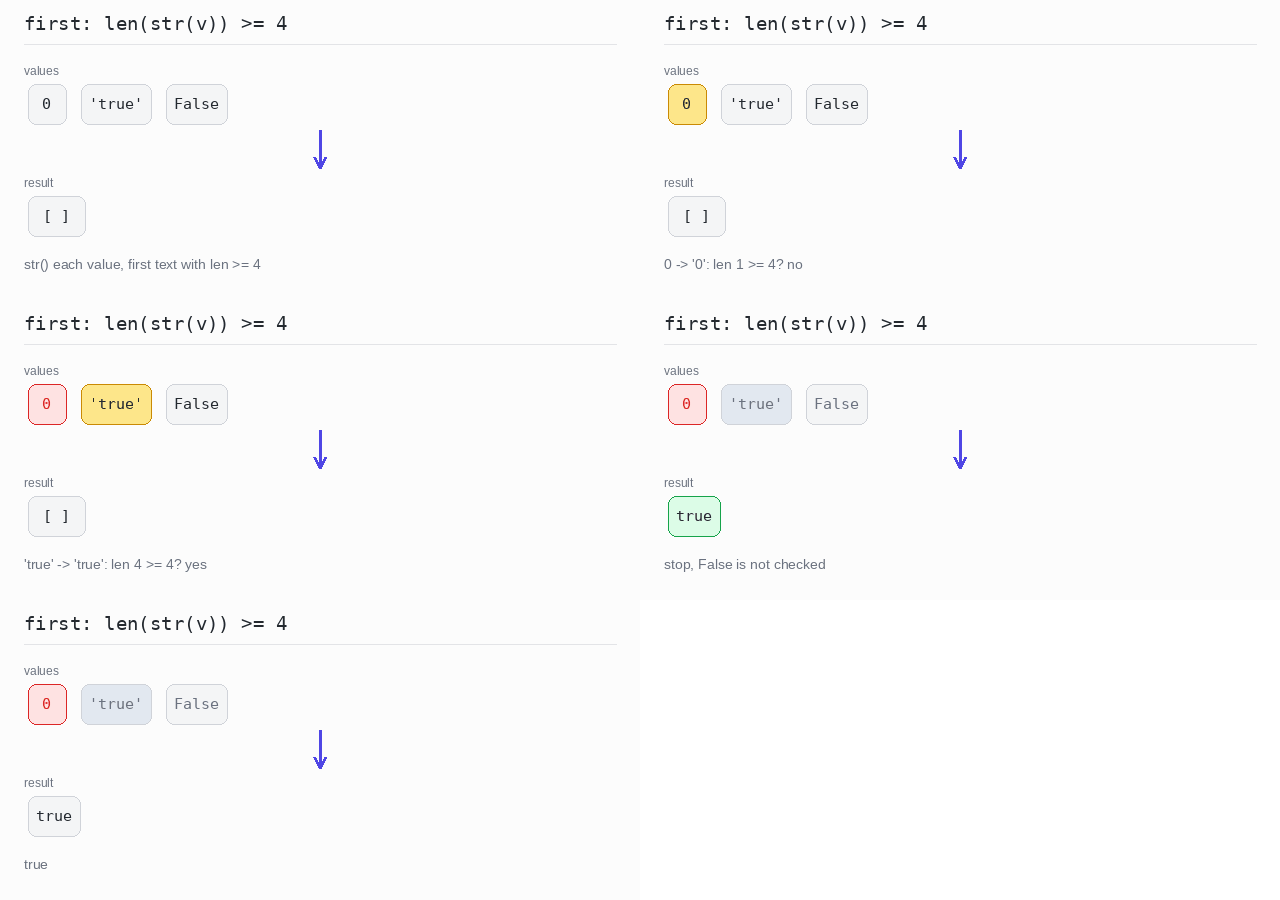
A selector function does the change and returns None for results that do not fit. map() applies the selector to every element, and next() with an is not None test takes the first good result. The list here holds a number, a string and a bool at the same time — a Python list can mix types. str() turns any value into text.
First converted value that fits
Each value is turned into text with str(). 0 becomes "0", which is too short, so the selector returns None. "true" has 4 characters, so it is the first result that is not None and the program prints true.
Output: complete Python program
values = [0, "true", False]

def long_text(v):
  # Turn the value into text; short texts do not fit and become None.
  s = str(v)
  return s if len(s) >= 4 else None

# The first selector result that is not None.
found = next((s for s in map(long_text, values) if s is not None), None)
print(found)
Random Element
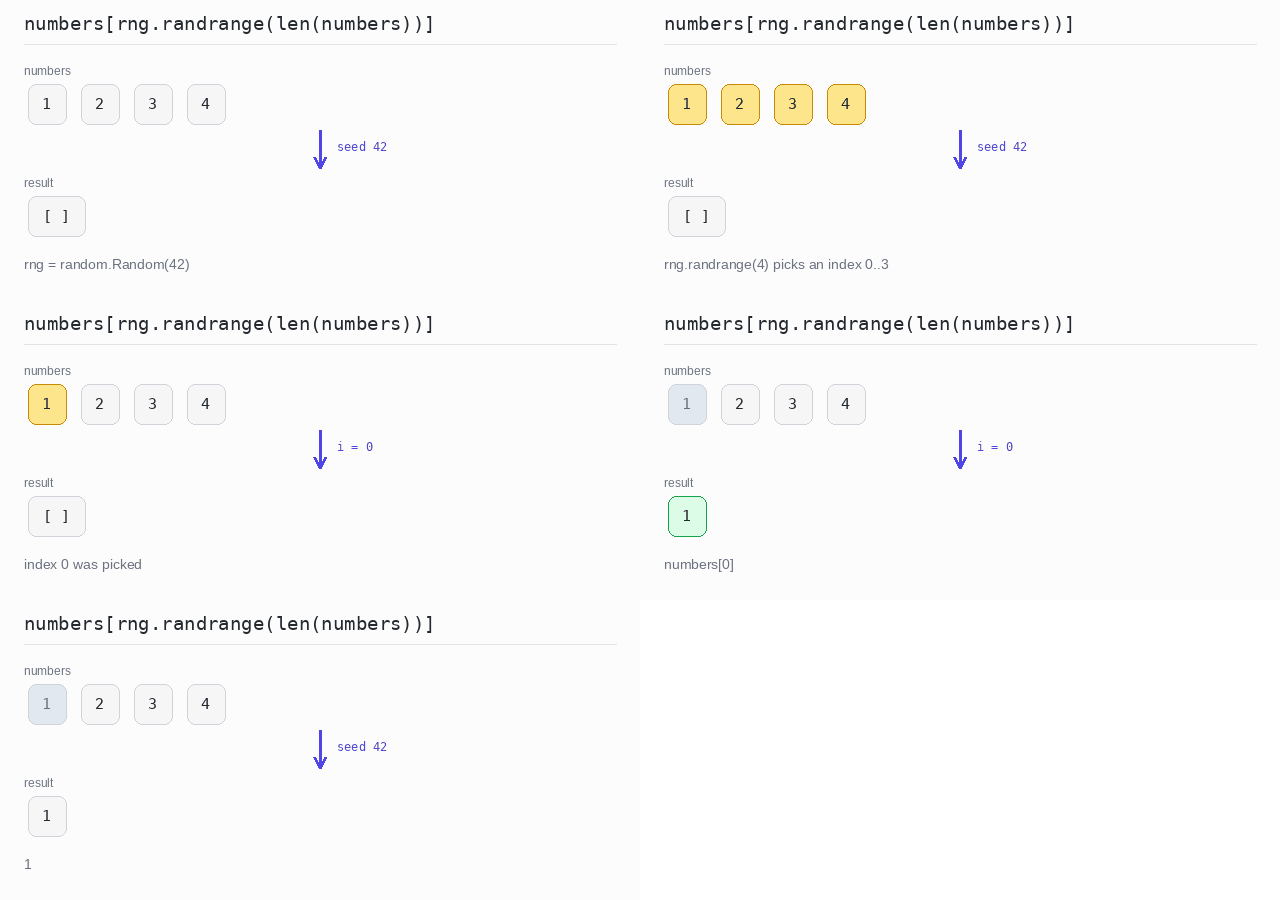
To pick a random element, pick a random index. The random module gives random numbers; rng.randrange(n) returns a number from 0 up to n-1, which is exactly the range of valid indexes.
Python also has rng.choice(), which picks an element directly. This example picks an index first so you can see it; choice() does the same job in one call.
A generator made with random.Random(42) starts from a fixed seed. With the same seed the program picks the same element every time, which makes the output predictable — the example seeds its own generator exactly for that reason. Use random.Random() without a seed when you want a different result on each run.
Pick a random element
With seed 42 the generator picks index 0, so the program prints 1. Change the seed and a different number can come out.
Output: complete Python program
import sys

# This file is named random.py, and Python looks for modules next to the
# script first. Drop that path so "import random" finds the real module.
del sys.path[0]
import random

numbers = [1, 2, 3, 4]

# A fixed seed makes the "random" choice the same on every run.
rng = random.Random(42)
i = rng.randrange(len(numbers))
print(numbers[i])
Check Element Existence
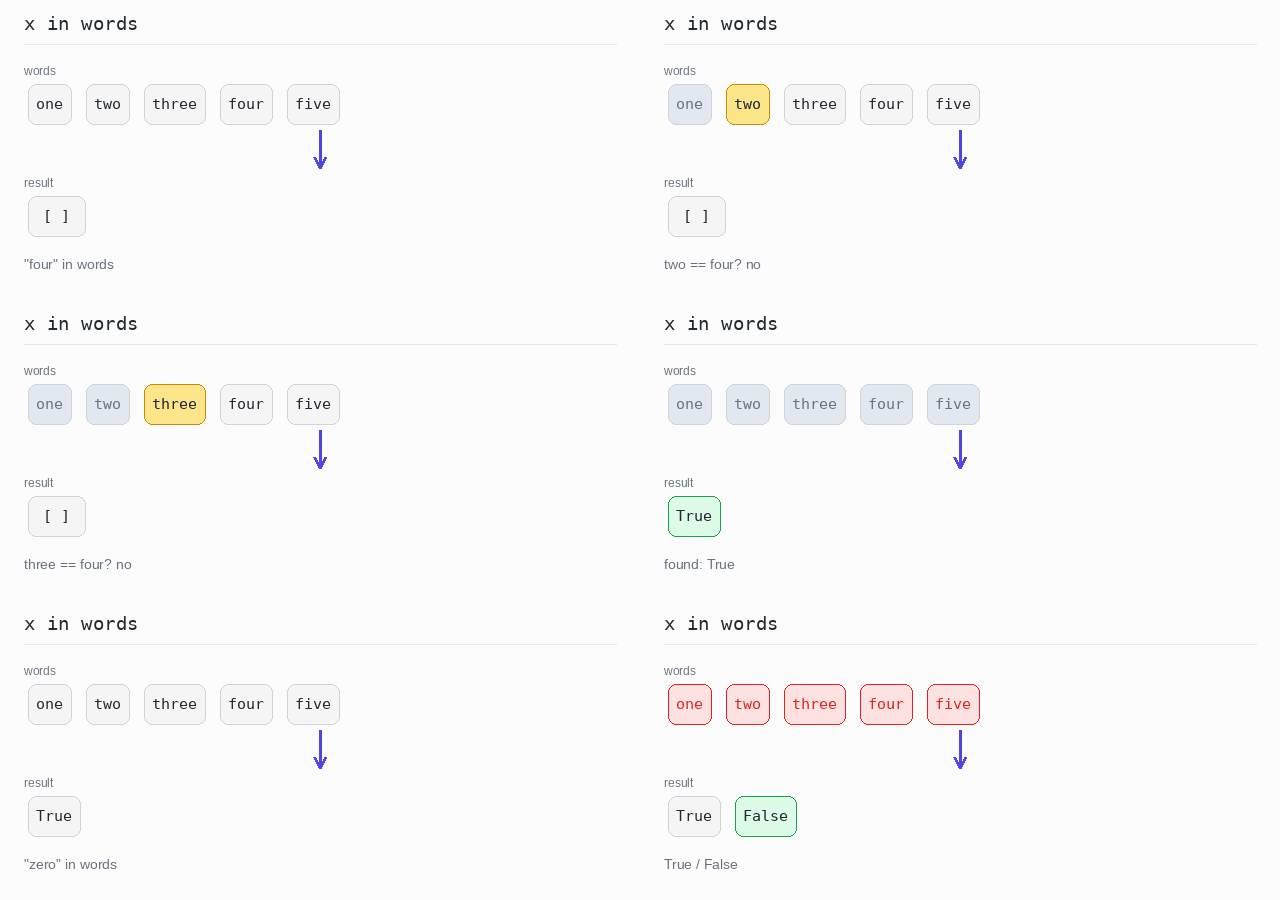
To check whether a value is in a list, use the in operator. It returns True or False.
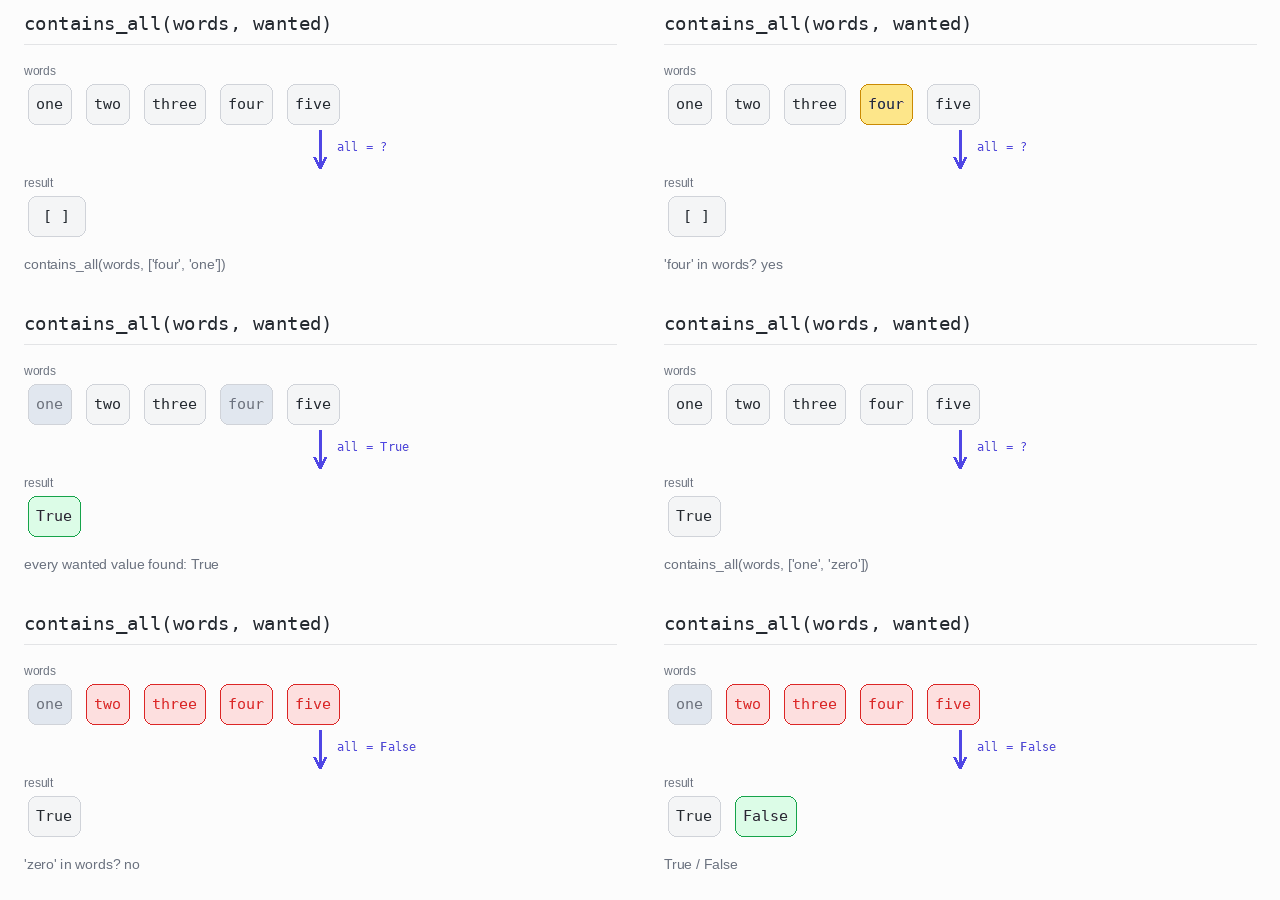
Python has no contains_all(). The built-in all() does it in one line: all(v in items for v in wanted) is True only when every wanted value is found. It stops as soon as one value is missing.
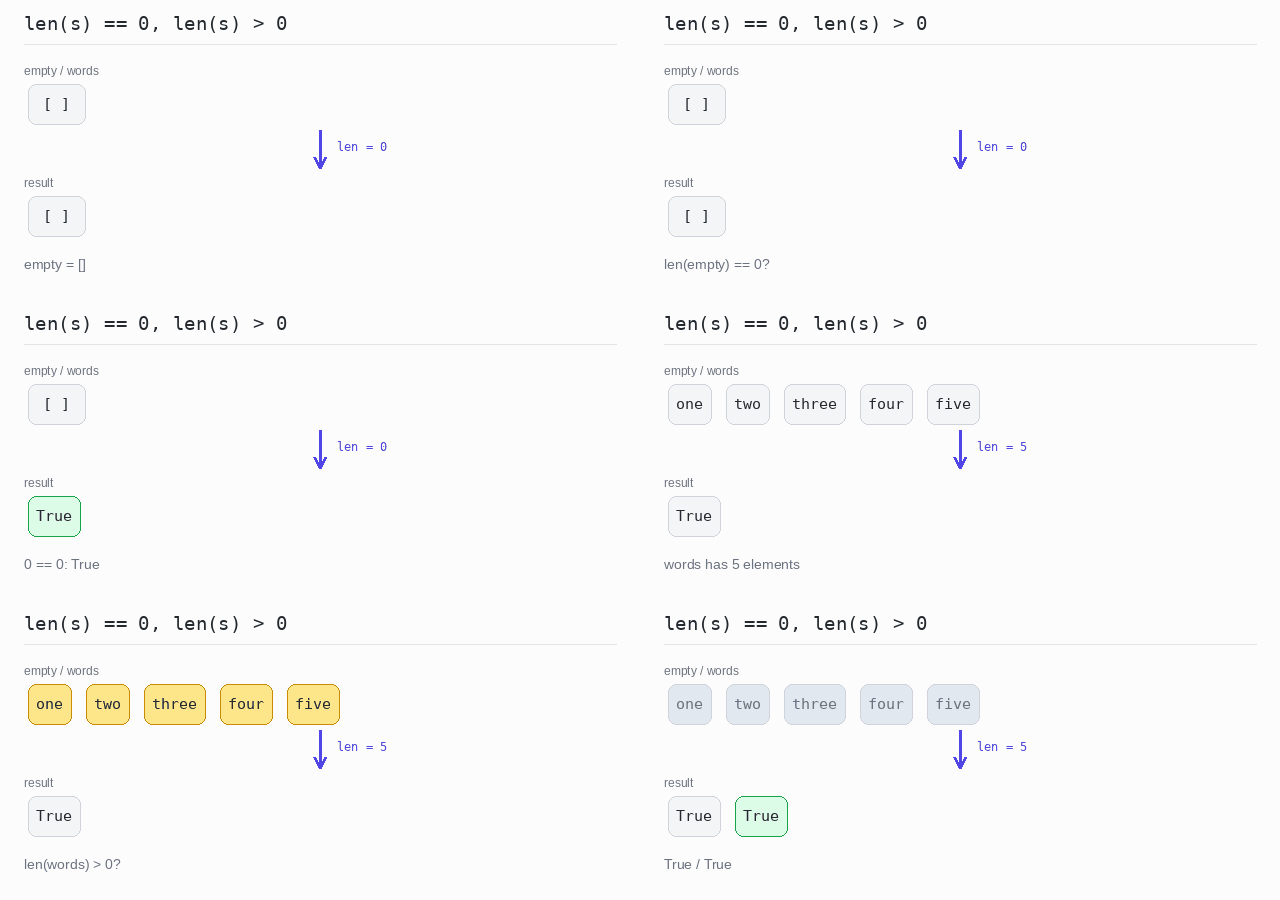
Python also has no is_empty(). Compare the length: len(s) == 0 means empty, len(s) > 0 means not empty. The Python way is even shorter: an empty list counts as False in a condition, so most Python code writes if not words: for "empty" and if words: for "not empty". This page prints the length checks because they say exactly what is measured.
Contains one value
"four" is in the list, so the first check is True. "zero" is not, so the second check is False.
Output: complete Python program
words = ["one", "two", "three", "four", "five"]

print("four" in words)
print("zero" in words)
Contains all values
Both "four" and "one" are in the list, so contains_all returns True. "zero" is missing, so the second call returns False.
Output: complete Python program
def contains_all(items, wanted):
  # True only when every wanted value is found in items.
  return all(v in items for v in wanted)

words = ["one", "two", "three", "four", "five"]

print(contains_all(words, ["four", "one"]))
print(contains_all(words, ["one", "zero"]))
Empty or not empty
empty has length 0, so len(empty) == 0 is True. words has 5 elements, so len(words) > 0 is also True.
Output: complete Python program
words = ["one", "two", "three", "four", "five"]
empty = []

# A list is empty when its length is 0.
print(len(empty) == 0)
print(len(words) > 0)