Filtering a Collection
Filtering means picking out the elements of a collection that match a condition.
The condition is written as a function that takes one element and returns true (keep it) or false (skip it). Such a function is called a predicate.
Filtering builds a new array. The original array is not changed.
Arrays already have a filter() method, so you do not write a helper of your own. You call it on the array and pass the predicate: words.filter(s => s.length > 3).
Only arrays have filter(). A Map does not, so you turn it into an array of pairs first, filter that array, and build a new Map from the result.
Be careful with splice(). It also removes elements, but it changes the original array instead of making a new one.
Filter by Predicate
The simplest way to filter is to pass a predicate to filter(). The method walks through the array and keeps every element that passes the test.
A Map has no filter() of its own. Spread it with [...m] into an array of [key, value] pairs, filter those pairs, and pass the result to new Map().
If the condition also needs the position of the element, use the second argument of the predicate. It is the index.
To keep the elements that do not match, put ! in front of the condition. There is no separate filterNot().
An array of type (string | number | null)[] can hold values of different types. A type guard — a function whose return type is written v is string — tells TypeScript which values survived the filter, so the result has type string[]. The same trick removes null and undefined, the two values that mean "no value".
Filter an array
Keep only the words that are longer than 3 letters. The condition s.length > 3 is passed to filter() as an arrow function. The result is a new array, [ 'three', 'four' ].
Output: TypeScript file and captured output
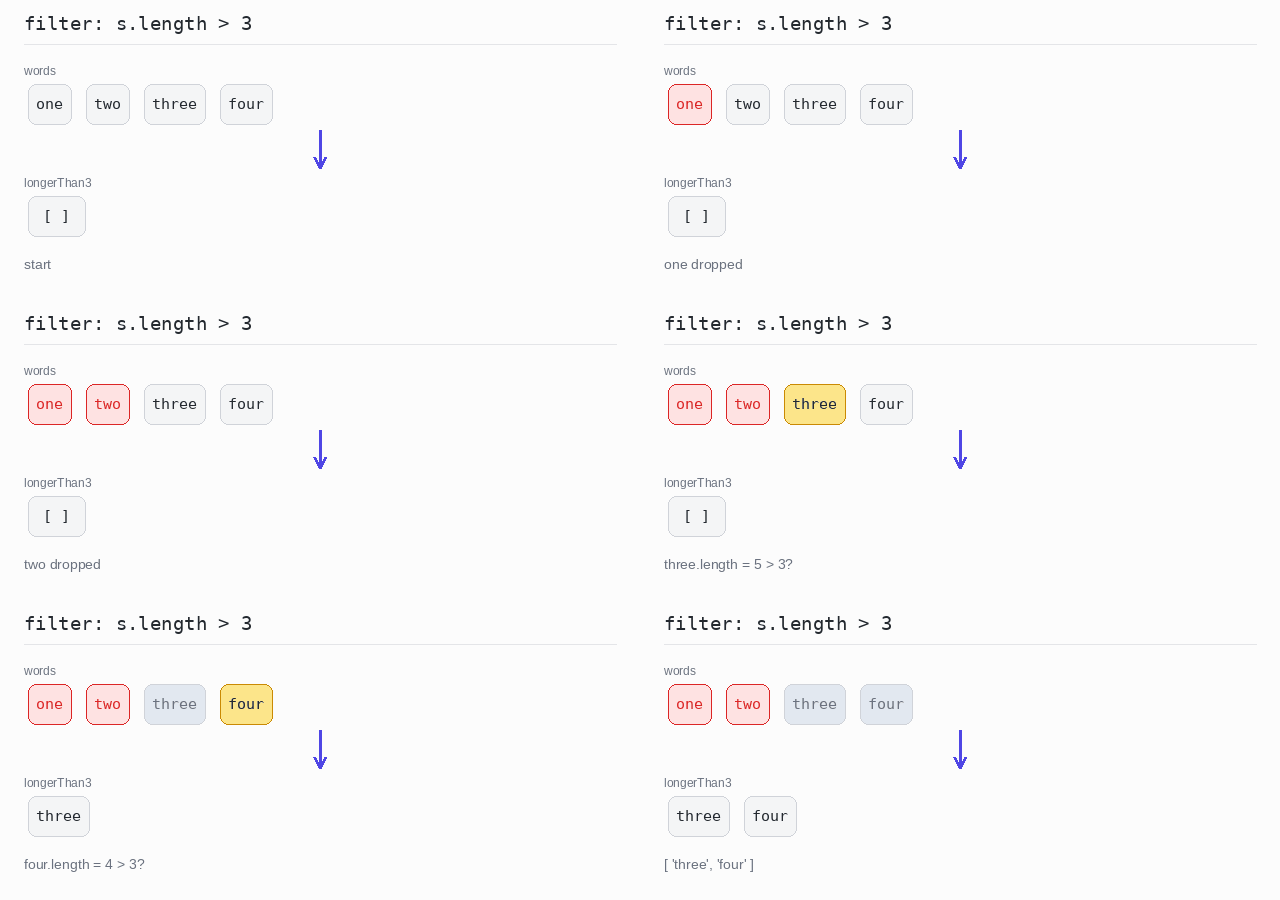
const words: string[] = ["one", "two", "three", "four"]

// filter() keeps every element the predicate says yes to, in a new array.
const longerThan3 = words.filter(s => s.length > 3)

console.log(longerThan3)
Filter a Map
Spread the Map into [key, value] pairs and keep the pairs whose key ends with "1" and whose value is greater than 10. endsWith() checks the end of a string. Only one pair is left, so the new Map prints as Map(1) { 'key11' => 11 }.
Output: TypeScript file and captured output
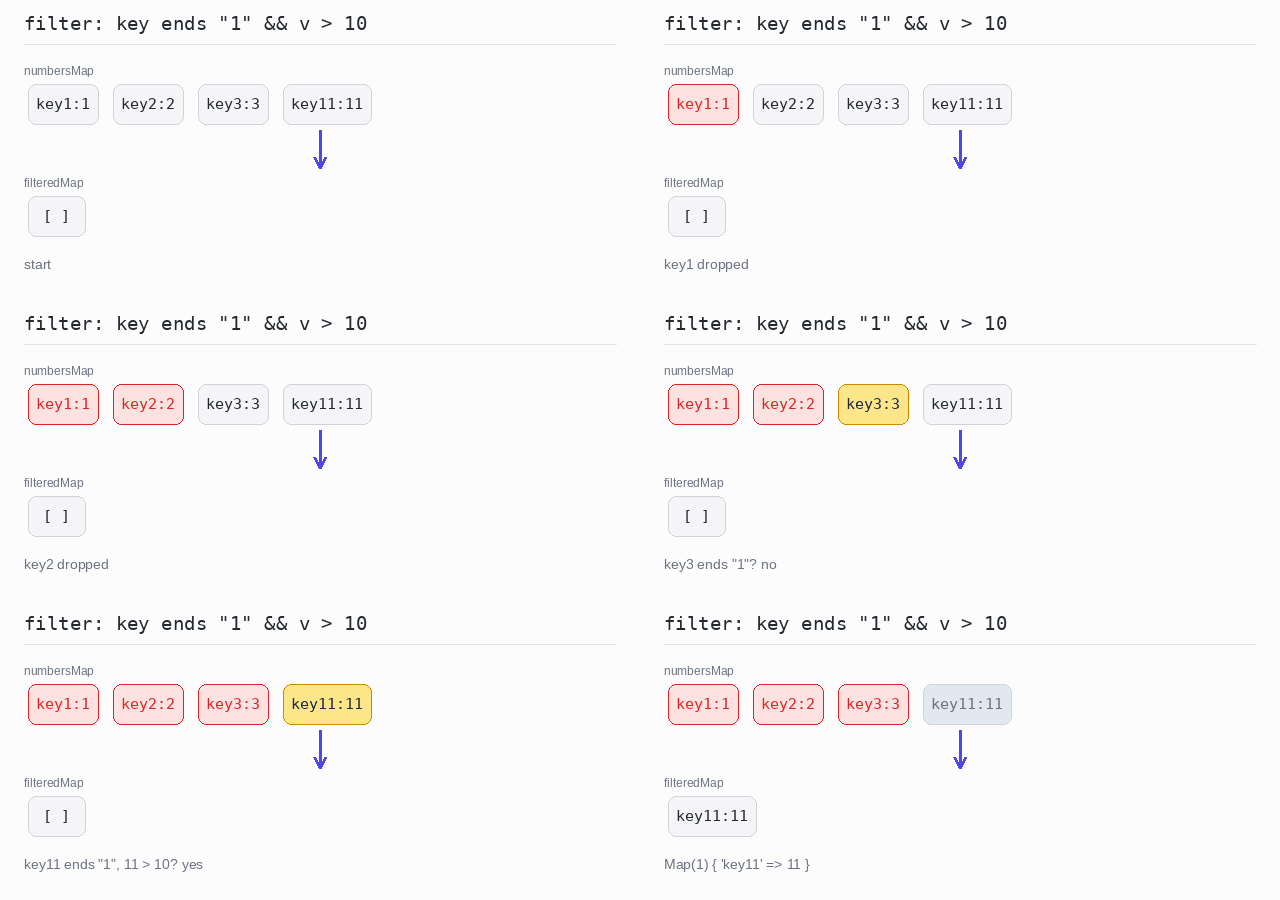
const numbersMap = new Map<string, number>([
  ["key1", 1],
  ["key2", 2],
  ["key3", 3],
  ["key11", 11],
])

// A Map has no filter(): spread it into pairs, filter them, build a new Map.
const filteredMap = new Map(
  [...numbersMap].filter(([key, value]) => key.endsWith("1") && value > 10)
)

console.log(filteredMap)
Filter using the index
The predicate can take a second argument: the index of the element. Keep a word only when its index is not 0 and it has fewer than 5 letters.
Output: TypeScript file and captured output
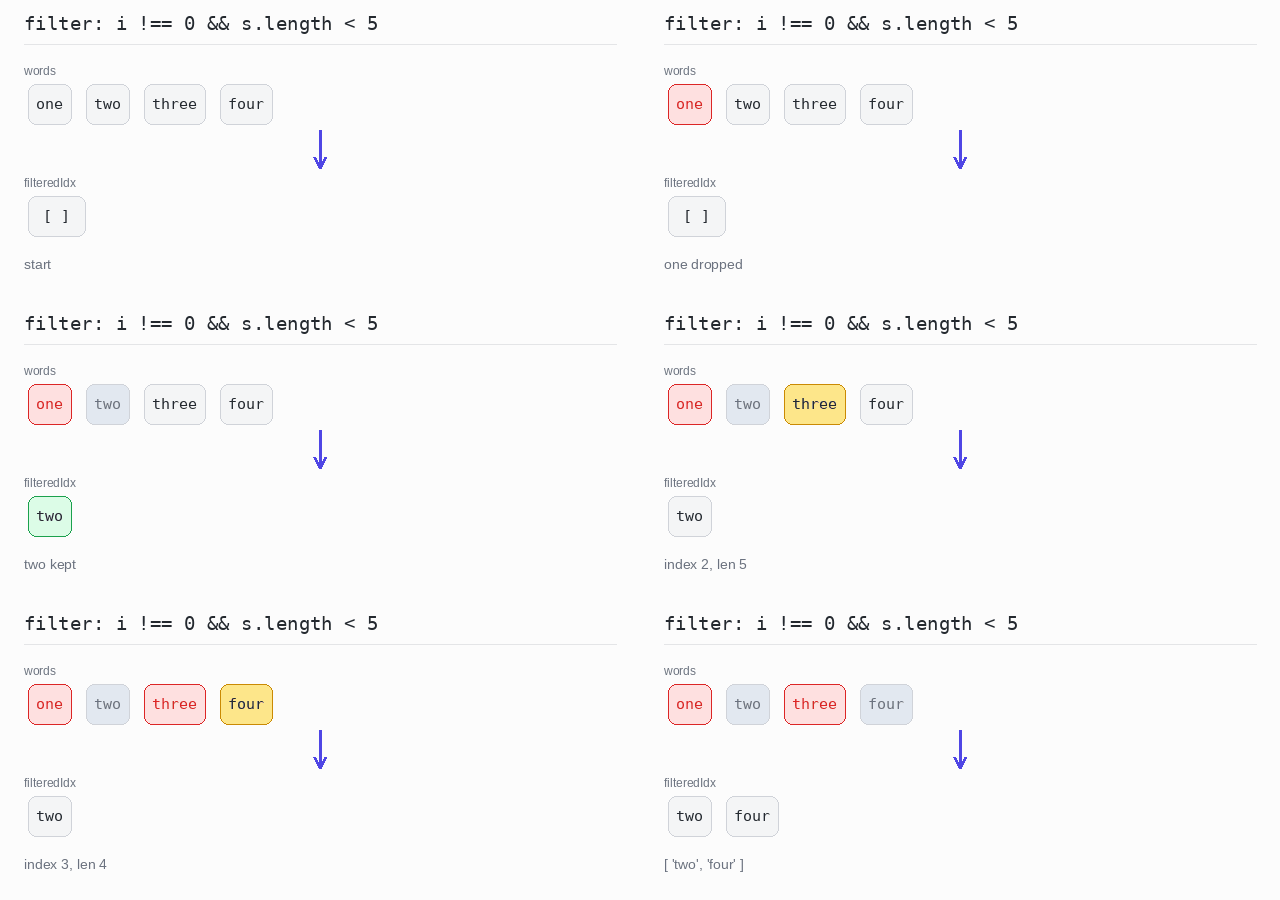
const words: string[] = ["one", "two", "three", "four"]

// The second argument of the predicate is the index, so the condition can use both.
const filteredIdx = words.filter((s, index) => index !== 0 && s.length < 5)

console.log(filteredIdx)
Filter with a negated condition
Drop the words with 3 letters or fewer. The condition s.length <= 3 is negated with !, so only the longer words stay.
Output: TypeScript file and captured output
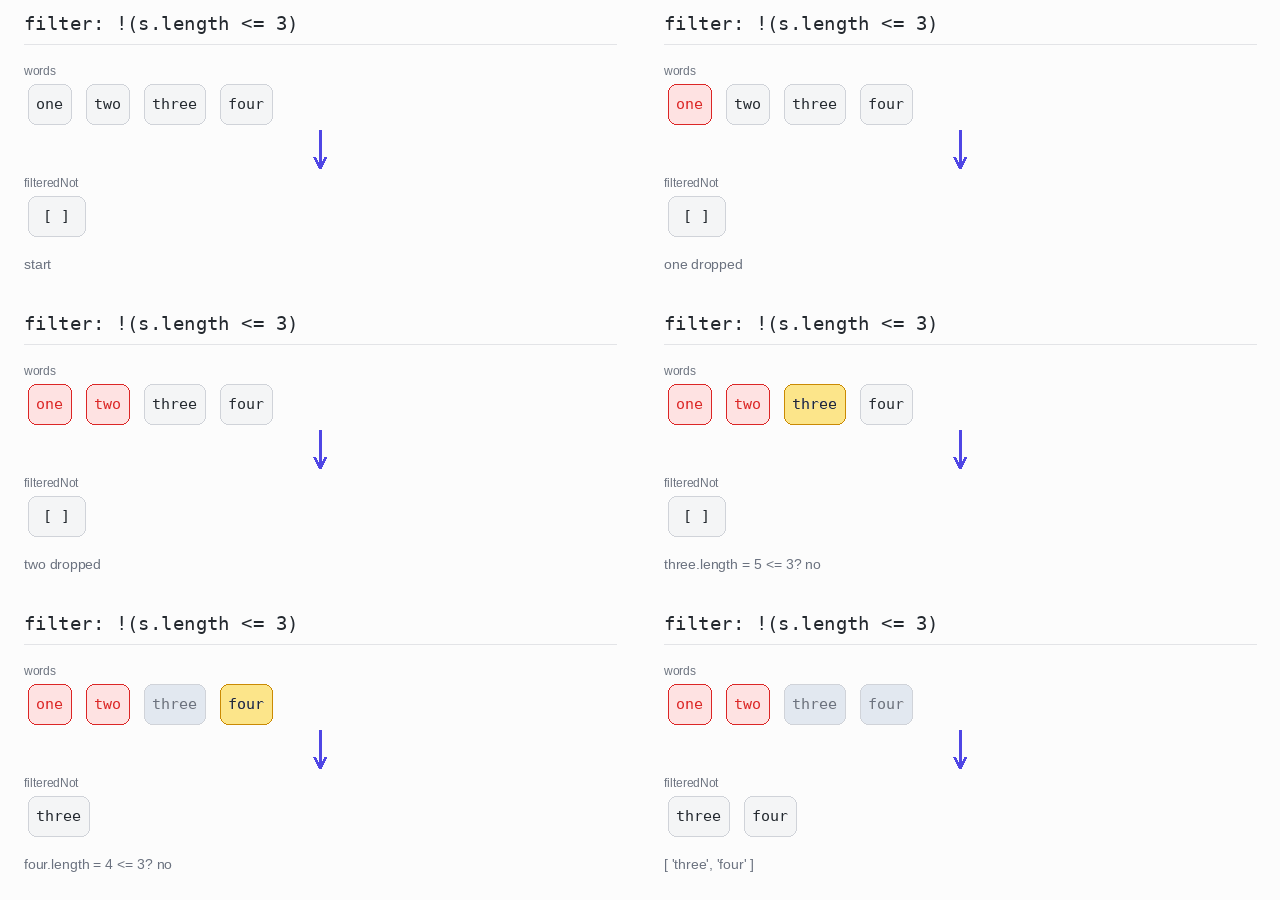
const words: string[] = ["one", "two", "three", "four"]

// There is no filterNot(): negate the condition with ! inside filter().
const filteredNot = words.filter(s => !(s.length <= 3))

console.log(filteredNot)
Filter by type
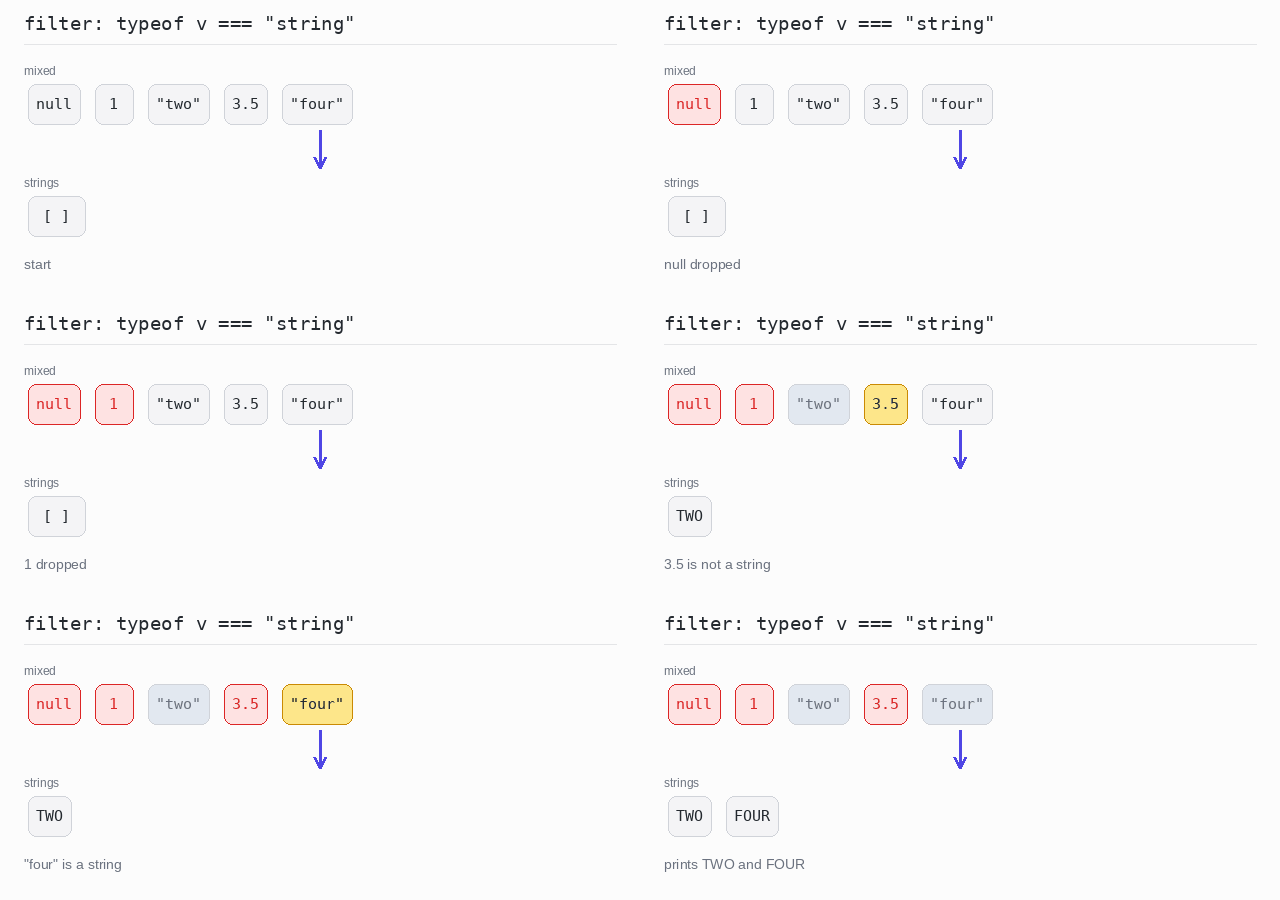
The array holds null, two numbers and two strings. The type guard (v): v is string => typeof v === "string" keeps only the strings, and it also narrows the type: strings has type string[], so toUpperCase() is allowed on its elements. Each string is printed in upper case, one per line.
Output: TypeScript file and captured output
const mixed: (string | number | null)[] = [null, 1, "two", 3.5, "four"]

// A type guard: the return type "v is string" says what passed the test.
const isString = (v: string | number | null): v is string => typeof v === "string"

// strings has type string[], so toUpperCase() is allowed on its elements.
const strings: string[] = mixed.filter(isString)

for (const s of strings) {
  console.log(s.toUpperCase())
}
Filter out null and undefined
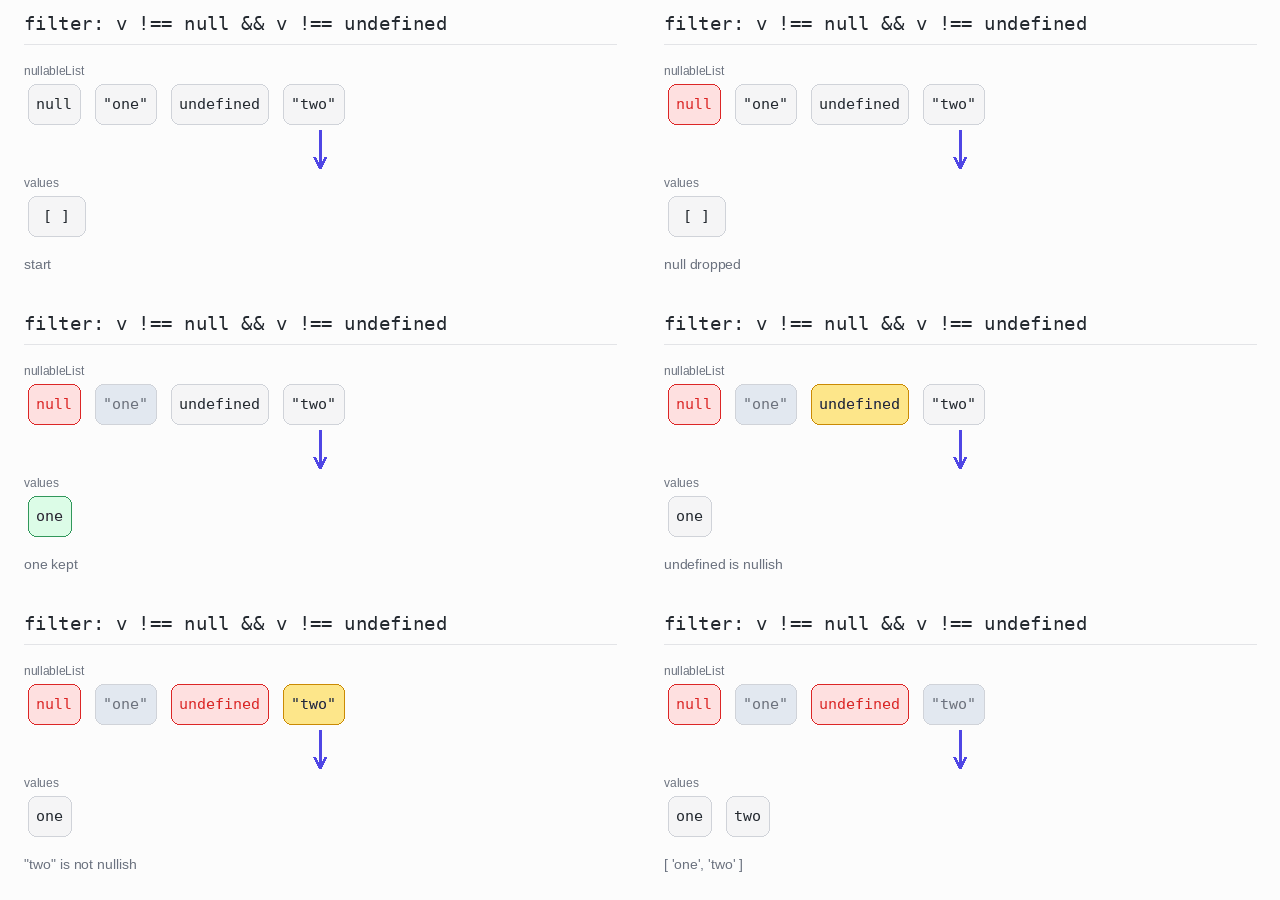
The array holds strings mixed with null and undefined. The type guard keeps the values that are neither, so the result has type string[] — the nullish part of the type is gone, and the strings can be used without another check.
Output: TypeScript file and captured output
// null and undefined both mean "no value".
const nullableList: (string | null | undefined)[] = [null, "one", undefined, "two"]

// Without "v is string" the result would keep null and undefined in its type.
const isPresent = (v: string | null | undefined): v is string =>
  v !== null && v !== undefined

const values: string[] = nullableList.filter(isPresent)

console.log(values)
Partition
Sometimes you want both groups: the elements that match and the ones that do not.
There is no built-in partition(). A small generic helper does it: it loops once and pushes each element into either the match array or the rest array. The helper returns both arrays as a tuple — an array with a fixed length and a type for each position — and you unpack it with const [match, rest] = ....
Split an array in two
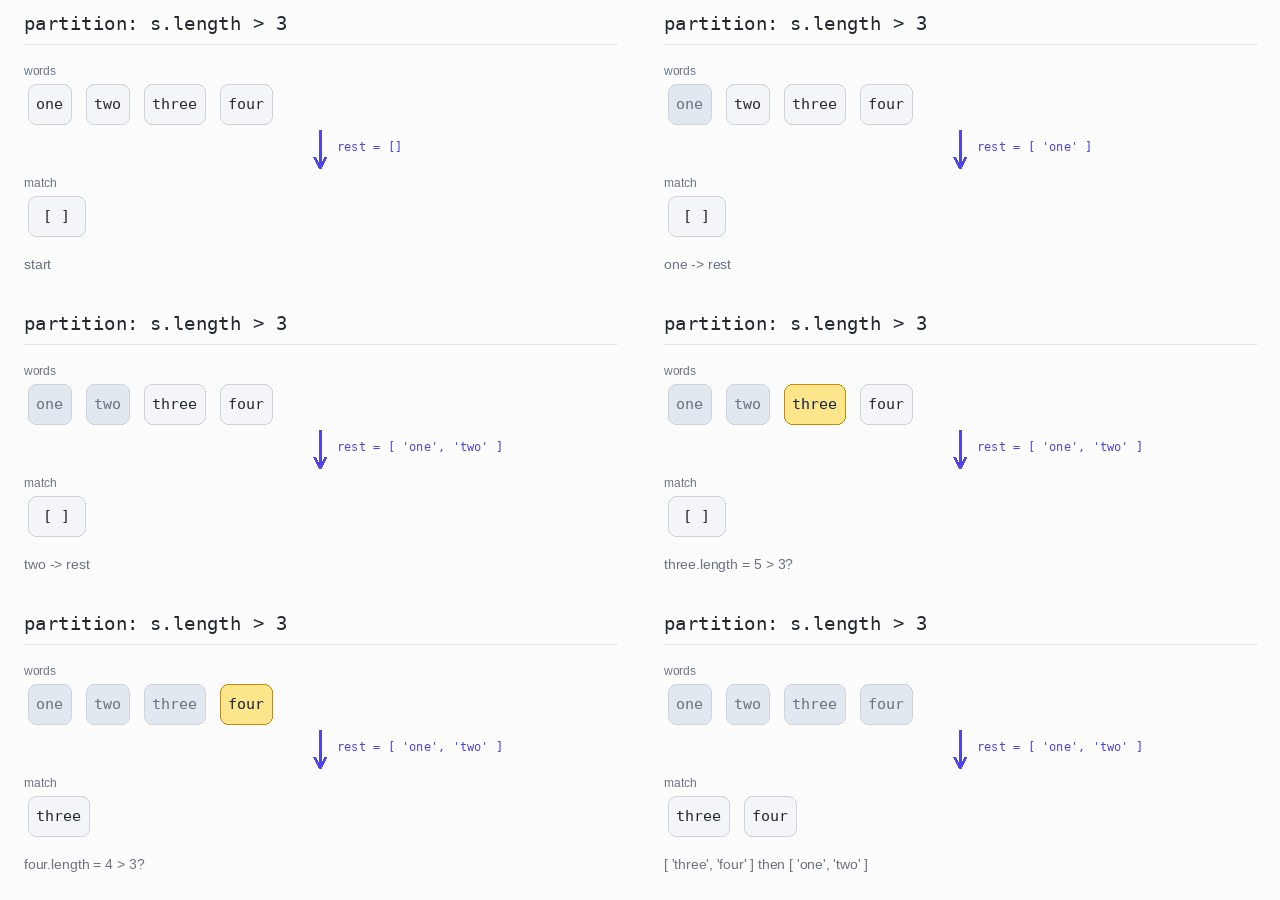
Words longer than 3 letters go into match; all the others go into rest. Both arrays are printed, on two lines.
Output: TypeScript file and captured output
// partition returns a tuple: the elements that match, and all the rest.
function partition<T>(items: T[], test: (item: T) => boolean): [T[], T[]] {
  const match: T[] = []
  const rest: T[] = []
  for (const v of items) {
    if (test(v)) {
      match.push(v)
    } else {
      rest.push(v)
    }
  }
  return [match, rest]
}

const words: string[] = ["one", "two", "three", "four"]

const [match, rest] = partition(words, s => s.length > 3)

console.log(match)
console.log(rest)
Test Predicates
Sometimes you do not need the matching elements, only a yes or no answer.
- any: does at least one element pass the test?
some()answers this. - none: does no element pass the test? Put
!in front ofsome(). - all: does every element pass the test? That is
every().
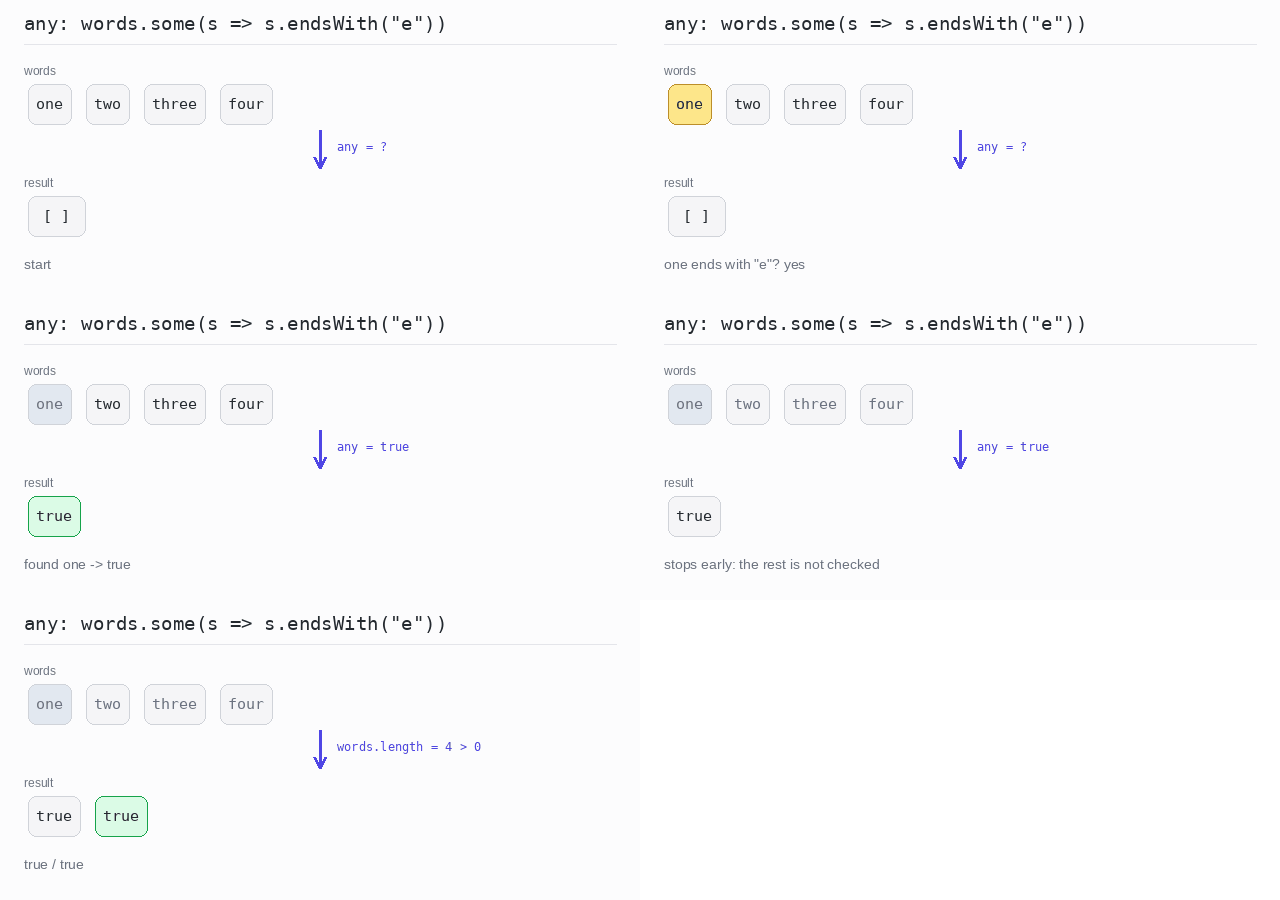
Both methods stop as soon as the answer is known. some() stops at the first element that passes, every() at the first one that fails.
Without a condition, "any element at all?" is words.length > 0 and "no element at all?" is words.length === 0.
On an empty array, every() returns true. There is no element that fails the test, so the test is never broken. This is called vacuous truth.
any
Check whether at least one word ends with "e", then check whether the array has any element at all. Both answers are true.
Output: TypeScript file and captured output
const words: string[] = ["one", "two", "three", "four"]

// some() is true when at least one element passes the test.
console.log(words.some(s => s.endsWith("e")))

// "any element at all?" is just a length check.
console.log(words.length > 0)
none
Check that no word ends with "a", which is true, then check whether the array is empty, which is false.
Output: TypeScript file and captured output
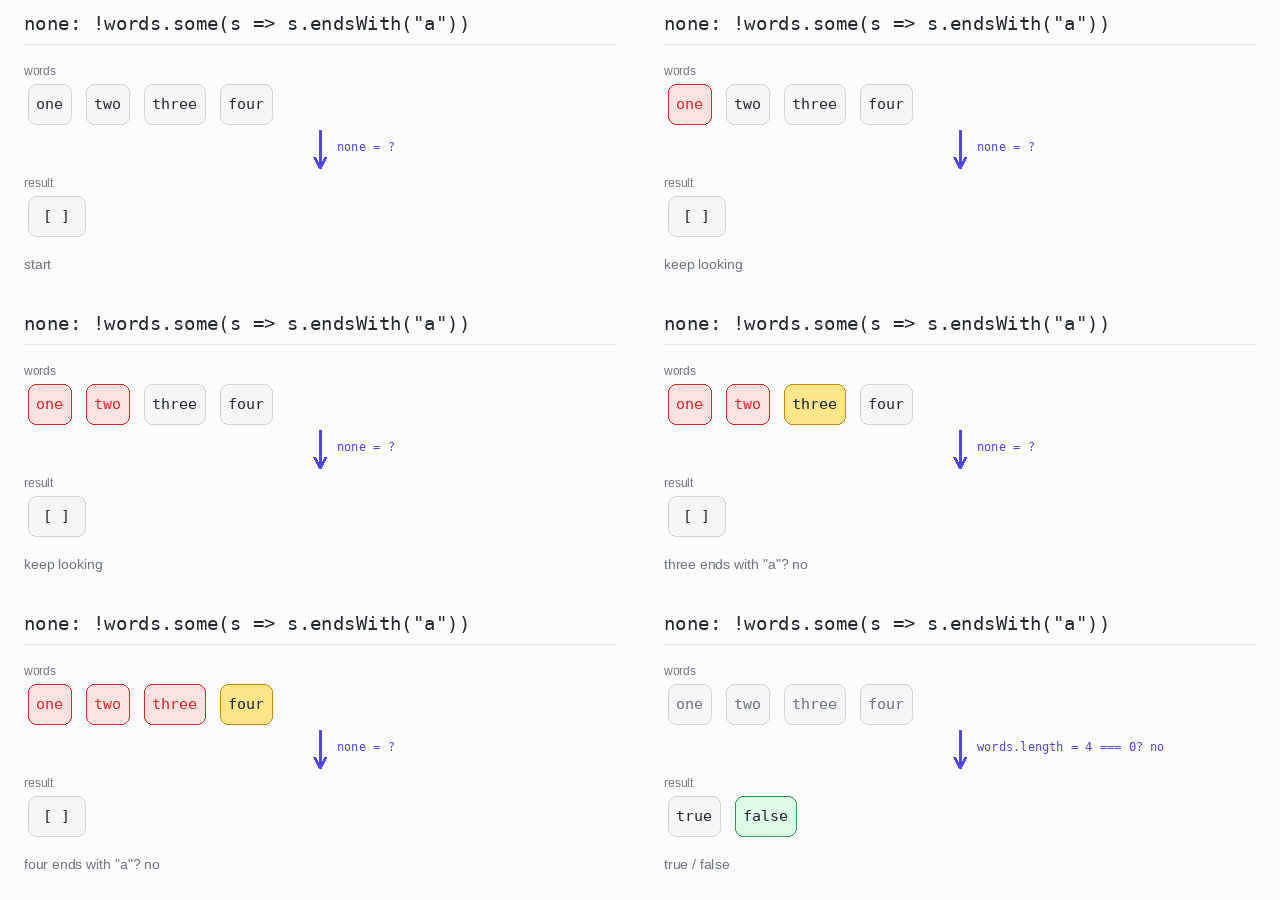
const words: string[] = ["one", "two", "three", "four"]

// "none" is the opposite of "any": no element passes the test.
console.log(!words.some(s => s.endsWith("a")))

// "no element at all?" is just a length check.
console.log(words.length === 0)
all
Check whether every word ends with "e". "two" does not, so the answer is false. Then call every() on an empty array, which gives true.
Output: TypeScript file and captured output
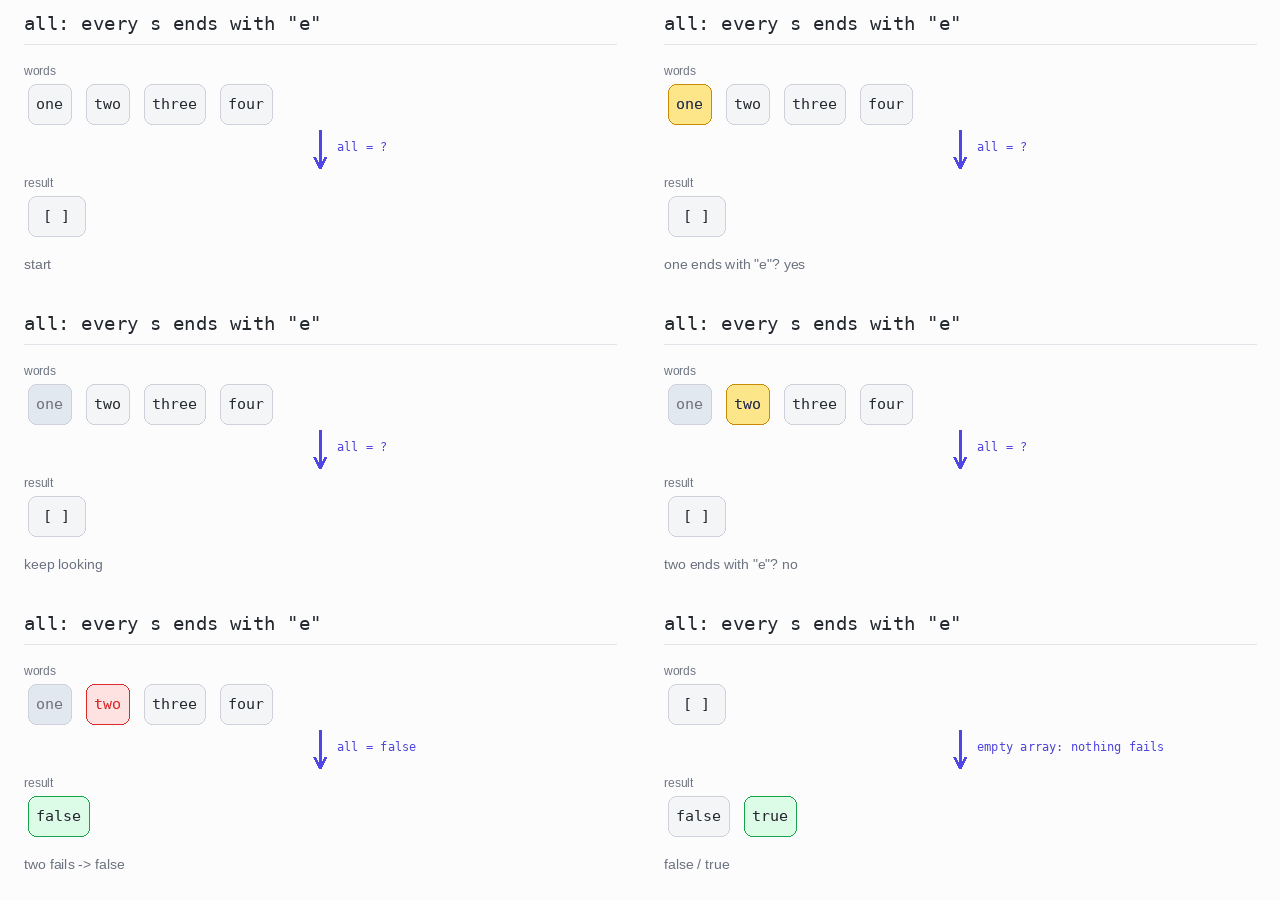
const words: string[] = ["one", "two", "three", "four"]
const empty: string[] = []

// every() is true only when every element passes the test.
console.log(words.every(s => s.endsWith("e")))

// An empty array has no element that fails, so every() is true.
console.log(empty.every(s => s.endsWith("e")))